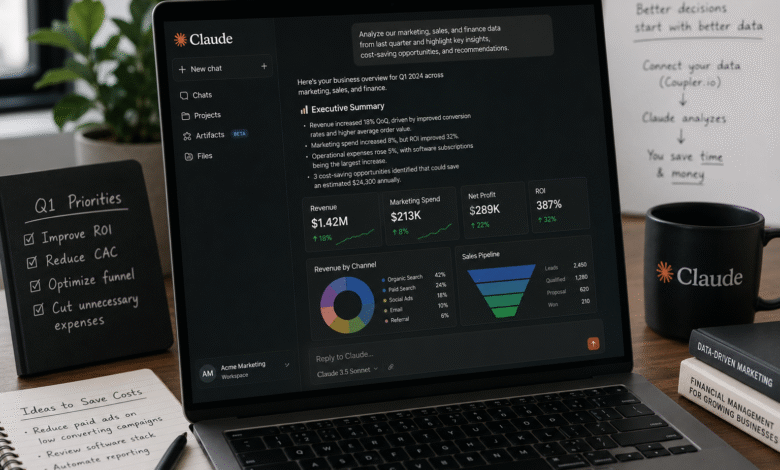
Running a small business means making critical strategic decisions with incomplete information, limited time, and no dedicated analyst on staff.
Claude can change that, but only when it has access to your actual business data. Connected to your marketing, finance, sales, and operations systems, it serves as an on-demand analyst, providing immediate context on your pipeline, cash flow, and ad spend.
This guide details how to establish that integration to optimize decision-making and reduce manual overhead.
Key Takeaways
- Manual CSV uploads work for one-off questions but break down as a weekly routine. Automated data pipelines are what make Claude reliable at scale.
- Claude excels at identifying patterns and generating insights, but its output depends on the quality of the input. Clean, structured data produces more accurate and trustworthy results.
- The highest value comes from cross-functional analysis — when Claude can see your ad spend, CRM pipeline, and financial data in the same session rather than separately.
- A Claude data connector, such as Coupler.io, helps automate data collection and synchronization, so Claude can analyze up-to-date business data without relying on manual CSV uploads.
4 Ways Claude Helps Small Business Owners
Marketing: Find What Actually Drives Results
Marketing data is often scattered across advertising platforms, email platforms, and website analytics tools. Reviewing each platform separately makes it difficult to understand overall performance.
When Claude has access to those data sources, it can compare campaigns across channels and explain what is actually working.
For example, you can ask:
- Which marketing channel generated the highest ROI last quarter?
- Why did conversions decline despite higher ad spend?
- Which landing pages lost the most organic traffic?
- Which email campaigns had strong open rates but weak click-through rates?
Instead of manually comparing dashboards, Claude analyzes relationships across channels and highlights where to increase budget, pause underperforming campaigns, or optimize landing pages.
Finance: Turn Numbers Into Business Decisions
Accounting software shows what happened, but it rarely explains why.
By connecting financial data from tools like QuickBooks, Stripe, or Google Sheets, Claude can help answer questions such as:
- Which expense categories increased the most this quarter?
- Which customers consistently pay late?
- Which products generate the highest profit margins?
- Is last month’s revenue growth likely to continue?
Subscription businesses can also use Claude to identify churn patterns, analyze customer cohorts, and compare retention across acquisition channels.
While Claude is effective at interpreting financial trends, always verify calculations before using them for tax reporting or investor documents.
Sales: Get More Value From Your CRM
Most businesses collect valuable CRM data but rarely analyze it beyond standard reports.
When Claude is connected to platforms like HubSpot or Pipedrive, it can uncover patterns that would otherwise require manual analysis.
For example:
- Which lead sources produce the highest-value customers?
- At which sales stage do deals most often stall?
- What characteristics do closed-won customers have in common?
- Which opportunities need immediate attention?
Claude can also summarize customer histories before meetings, identify inactive prospects, and draft personalized follow-up messages based on CRM notes.
Operations: Reduce Time Spent Managing Projects
Many small business owners spend hours reviewing task boards, spreadsheets, and project management tools just to understand what needs attention.
When connected to ClickUp or similar platforms, Claude can answer operational questions instantly.
Examples include:
- Which projects are behind schedule?
- Which clients have the most overdue deliverables?
- Where are approvals consistently getting delayed?
- Which team members appear overloaded?
If your business relies on Google Sheets for budgeting, staffing, or planning, Claude can also analyze live spreadsheet data rather than requiring manual uploads each time.
Manual Uploads vs. Automated Data Pipelines
The most basic way to use Claude is to export a standard CSV file from your tools and drop it manually into the chat window. For a quick, one-off analysis, this method works perfectly fine. But if you try to manage your ongoing weekly or daily business operations this way, the process breaks down.
| Method | Works well for | Limitations |
| Manual uploads | One-off, occasional queries | Requires repeated exports and preparation |
| Automated connectors | Ongoing analysis, multi-source data | Requires an initial setup |
The biggest limitation of manual uploads is context. If Claude only sees your advertising data, it cannot relate campaign performance to customer retention or revenue. Connecting multiple business systems provides a much more complete picture.
Automating Your Data
If you find yourself exporting spreadsheets every week, automation quickly becomes worth the setup. Instead of preparing data manually, you can keep Claude connected to your business systems so it always works with current information.
A Claude data connector like Coupler.io simplifies this process by automatically pulling data from advertising platforms, CRMs, accounting software, spreadsheets, and other business tools into a single place. Instead of exporting CSV files every week, you can schedule automatic refreshes so Claude always works with current, structured data.
This removes much of the manual preparation that typically precedes analysis and allows Claude to focus on analysis rather than on interpreting inconsistent exports or manually formatted spreadsheets.
Once your data is connected, you can also explore how to use Claude Artifacts to create reusable sales reports, marketing dashboards, financial summaries, and operational reviews.
When combined with automated data refreshes, Artifacts make it easy to generate the same structured reports using up-to-date business data, rather than rebuilding them from scratch each time.
Security Considerations
Business owners should be cautious about connecting financial or customer data to any external tool.
Most data connectors use OAuth authentication and inherit the access permissions already set in your existing business applications. Claude only sees what your account is authorized to share — it does not get broader access than your own user account has.
Before enabling a connector, check whether it operates with read-only access or supports write actions. For analysis workflows, read-only is sufficient and the safer default. Coupler.io, for example, operates read-only on connected sources. Tools like ClickUp and Google Drive support write actions, so it is worth reviewing those settings before activating them.
Claude for Business: Strengths and Limits
Claude performs best when:
- identifying patterns
- explaining trends
- summarizing large datasets
- answering business questions conversationally
However, it should not replace accounting software or financial professionals. Before making tax, legal, or investment decisions, verify important calculations independently.
Think of Claude as an intelligent business analyst rather than an automated decision-maker.
Conclusion
Claude brings real value to small business owners by helping them make quicker, more evidence-led decisions, rather than just answering general questions. When connected to marketing, finance, sales, and operations systems, Claude simplifies analysis and uncovers cost-saving opportunities, reducing the need for manual reporting.
To maximize Claude’s effectiveness, it’s crucial to provide accurate and well-integrated data. Although setup requires connecting the right sources and automating the data layer, the benefits are significant. Business owners who invest a few hours in setup can then easily access current data and receive insights on demand.