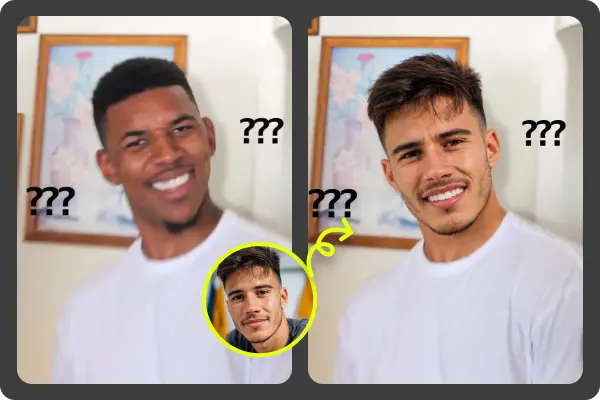
Yes, you can swap faces in animated GIFs without installing software, and the results can be surprisingly good if you start with the right kind of GIF. I’ve tested browser based face swap tools on short reaction GIFs, movie clips, pet memes, and looping social clips, and the biggest difference usually comes from face angle, lighting, and clip length, not from having a desktop app. A web tool like EasyFaceSwap handles the upload, face detection, frame processing, and export in the browser workflow, so you don’t need to download an editor or learn timeline software.
The easiest route is to use a dedicated GIF Face Swap tool instead of trying to edit frames one by one. A GIF is not just one picture. It’s a stack of frames that play quickly, so a good tool has to track the face across movement, expressions, and changing light. That’s why a normal photo editor often feels slow for this job, even if it can technically open GIF files.
Can you really swap faces in an animated GIF online?
You can, as long as the tool supports animated GIF processing and not just still images. In a basic face swap, the tool detects the face in each frame, maps the new face onto it, blends the edges, and rebuilds the animation as a new GIF. Good tools do this in one flow, so you upload the GIF, add the face image, wait for processing, and download the result.
In my experience, short GIFs with one clear face work best. A three second reaction GIF with a front facing person usually gives a cleaner result than a ten second clip with fast head turns. If the original face goes behind a hand, moves out of frame, or turns into a side profile, the swap may flicker or lose alignment for a moment.
You also need to understand what “without installing software” means in practice. You still upload files to a website, and the site still uses processing power somewhere. The difference is that you don’t install a desktop program, manage updates, or deal with video codecs yourself. For quick social posts, jokes, team chats, and meme edits, that’s usually enough.
What kind of GIF gives the best face swap result?
The best source GIF has a face that is large enough, well lit, and visible for most of the loop. A steady camera helps too. When the face jumps around the frame or gets covered, the tool has to guess more often, and that’s where odd warping can appear. If you have a choice between two similar GIFs, pick the one with less motion blur.
The face image you upload matters just as much. A clear selfie with the person looking toward the camera tends to work better than a cropped group photo or a dramatic side angle. I’ve had the cleanest results from photos where the face fills a good part of the image, the eyes are open, and there are no sunglasses, masks, or heavy shadows.
Here’s a quick guide I use before uploading anything:
| Source material | Better choice | Why it matters |
|---|---|---|
| GIF length | 2 to 5 seconds | Short loops process faster and show fewer errors |
| Face angle | Front or slight turn | Easier for the tool to track across frames |
| Lighting | Even and clear | Helps blending look more natural |
| Movement | Slow or moderate | Reduces slipping and flicker |
| Face photo | Sharp selfie | Gives the swap more detail to work with |
A lower quality GIF can still be fun, but don’t expect it to look like a polished movie effect. GIFs are often compressed, small, and limited in color. Even a strong face swap can only work with the detail that exists in the original file.
Do you need editing skills to do a GIF face swap?
No, you don’t need editing skills for a simple GIF face swap. Most online tools are built for people who want a fast result, not a full editing suite. The usual process is upload the GIF, upload the face photo, let the tool process it, then download the new file. If you can attach an image to a message, you can handle the basic workflow.
That said, a little judgment helps. I usually preview the GIF first and watch for moments where the face disappears, turns sharply, or changes expression a lot. If the original clip has a big laugh, a hand over the mouth, or a quick spin, I expect the swap to look less stable. Picking a simpler GIF saves more time than trying to fix a messy one later.
You also don’t need to understand frame rates, masks, layers, or export settings for most casual uses. Those things matter in professional animation work, but online face swap tools hide that complexity. The tradeoff is that you get less manual control. You may not be able to fine tune a single bad frame or adjust the blend by hand the way you could in advanced software.
If the result looks off, the fastest fix is usually to change the input photo rather than keep processing the same files. Try a brighter face image, a more neutral expression, or a photo with a similar head angle to the GIF. Small changes can make the output look much more stable.
Is an online GIF face swap safe and private?
Safety depends on the tool, the files you upload, and what you’re using the result for. A face swap website needs access to your uploaded GIF and face image to process them. Before using any tool, check for basic signs of trust, such as a clear privacy policy, secure HTTPS connection, and simple explanations of how uploads are handled. If a service gives no information at all, I’d be careful with personal images.
I don’t recommend uploading sensitive photos, private family images, work files, or anything you wouldn’t want stored or seen by someone else. Even when a tool says files are deleted, you’re still trusting that service. For casual meme GIFs and public profile style photos, the risk is lower, but it’s still worth thinking before you upload.
Consent matters too. Swapping a friend’s face into a harmless birthday GIF is different from making someone appear in a clip they’d dislike or misunderstand. The technology is easy, but the social side still counts. If the GIF could embarrass someone, damage their reputation, or look like they did something they didn’t do, don’t make it or share it.
There are also platform rules to consider. Some social networks and communities restrict misleading edited media, especially if it involves public figures, politics, adult themes, or harassment. A funny reaction GIF is usually fine, but deceptive use can create real problems.
Why use an online tool instead of installed software?
An online tool makes sense when speed matters more than fine control. You don’t have to install a video editor, learn animation settings, split a GIF into frames, or export it again. For most people, the goal is a funny loop they can share in a chat or post online, and a browser based tool gets there much faster.
Installed software still has a place. If you need frame by frame cleanup, exact masking, color correction, or a high resolution video export, desktop editing tools give you more control. They also avoid uploading files to a third party service, which can be important for private work. The downside is time. Even simple edits can turn into a long process if you’re not used to the software.
Online GIF face swapping is best for quick creative tasks. It’s useful when you want to test an idea, make a meme, personalize a reaction, or create a playful post without spending an afternoon editing. You can try a few source GIFs, compare results, and keep the one that looks most natural.
The main limitation is that you can’t force every GIF to work. Fast motion, tiny faces, heavy compression, and extreme angles can still break the effect. If the tool struggles, it doesn’t always mean you did something wrong. Sometimes the source file just isn’t a good match for face tracking.
The takeaway is simple: you can swap faces in animated GIFs without installing software, and for casual use, online tools are often the easiest option. Start with a short, clear GIF and a sharp face photo, keep your expectations realistic, and think about privacy and consent before sharing. When the source material is right, the whole process can take minutes and produce a GIF that looks clean enough for memes, messages, and social posts.