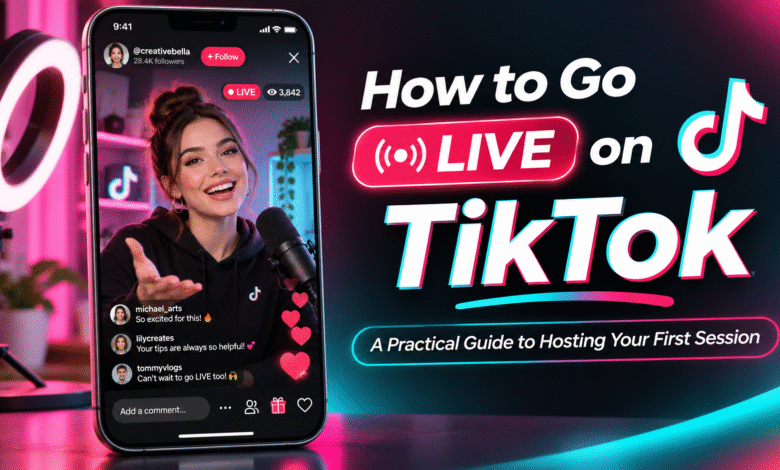
Going live is different from uploading a video. There is no opportunity to edit out a pause, rearrange a conversation or record the same introduction several times. Once a broadcast begins, the creator needs to guide the session while responding naturally to viewers.
Learning how to go live on tiktok is therefore about more than finding the right button. It involves preparing your surroundings, organising the conversation and knowing how to handle the unexpected. With a straightforward routine, even a first-time TikTok creator can approach broadcasting with greater confidence.
Complete a Quick Pre-Broadcast Check
Before opening the camera, take a few minutes to prepare your surroundings and equipment. You do not need a professional studio, but viewers should be able to see and hear you comfortably. Choose a quiet location with suitable lighting. Position your phone securely at roughly eye level, and check that your face is visible without harsh shadows. Test the microphone by recording a short clip or speaking at your usual volume.
Your internet connection matters too. Use a reliable network where possible, make sure your phone has enough battery, and close applications that may affect performance. Keep water and any notes you need within reach so you do not have to leave the broadcast unexpectedly. This simple check can prevent avoidable distractions once viewers begin joining.
Check That Your Account Can Broadcast
TikTok LIVE is a feature within the main TikTok app. It is not a separate application that automatically gives every user broadcasting access. Eligibility can depend on factors such as age, location, account status and TikTok’s current requirements. These rules may change, so check the official Help Centre and the information displayed in your account rather than relying on an older tutorial.
Open the content creation interface and look for the LIVE option. If it is available, review the instructions shown before starting. If it is missing, check for app updates and account notifications, then consult TikTok’s official support guidance. Be cautious of anyone claiming they can unlock LIVE access in exchange for payment or account details. Never share your password or verification code. Third-party promises cannot replace the platform’s eligibility rules.
Give Your Opening a Clear Structure
The first part of a broadcast helps viewers understand why they might want to stay. Begin by welcoming people and explaining what the session will cover. Keep the introduction brief enough that you can repeat the main point for people who arrive later. For example, a creator demonstrating a creative technique could explain the finished result first, then outline the stages they intend to show. This gives the audience a reason to follow the process.
Avoid starting with a long list of announcements. Introduce one central idea and move into it promptly. You can mention relevant details as the session progresses. It is also useful to have two or three prompts written down. These might be key points to explain, questions to ask, or examples to share if the conversation slows down.
Keep the Middle of the Session Moving
Once the broadcast is under way, aim for a balance between sharing information and responding to viewers. Speaking continuously without acknowledging comments can make the session feel like a presentation. On the other hand, answering every message individually may cause the main topic to disappear. A useful approach is to alternate between explaining a point and checking the conversation. Read relevant comments, answer similar questions together, and give viewers time to respond.
If you are demonstrating something, describe what you are doing rather than assuming everyone can follow the visuals. If you are discussing an idea, use examples to make it easier to understand. Do not worry about a short pause. Check your notes, take a breath and continue. A natural conversation does not need to be filled with words every second.
Make the Session Comfortable and Safe
A good broadcast should be welcoming without requiring the creator to respond to every request. Set boundaries around personal questions and avoid revealing private information, such as your home address, contact details or documents visible in the background. Review the moderation controls available in TikTok before you begin. Depending on your account and the tools provided, you may be able to filter comments, manage interactions or appoint moderators. Follow TikTok’s Community Guidelines and use the available controls when comments become disruptive.
Creators who want additional guidance may also research TikTok LIVE Creator Networks. Depending on programme availability and eligibility, these networks may offer support related to LIVE activities. Review the services, conditions and commitments carefully before joining. Membership does not guarantee access, audience growth or earnings.
End With Purpose and Review the Experience
A broadcast should have a clear finish. When you have covered the main subject and answered relevant questions, summarise the key points and thank viewers for joining. Avoid ending abruptly when a short closing message would make the experience feel more complete. Afterwards, consider what happened during the session. Was the opening easy to follow? Did viewers understand the demonstration? Were there moments when the conversation became difficult to manage? Write down one thing that worked and one adjustment to try next time.
If performance information is available in your account, use it as additional context. Numbers can reveal patterns, but they do not tell the whole story. Your own observations about clarity, interaction and preparation are valuable too. For a tiktok creator, a repeatable routine can make future sessions easier to organise. Keep the parts that work, change what does not, and avoid making several major adjustments at once.
Conclusion
Hosting a useful TikTok LIVE session requires preparation, communication and the ability to adapt. Checking your account, testing your equipment, introducing a clear subject and managing interaction responsibly can all contribute to a better experience. You do not need an elaborate production plan to begin. Start with a manageable session, use a few notes to guide the discussion, and learn from what happens. Over time, a consistent approach can help you become a more comfortable and organised LIVE host.
FAQs
Should I announce my LIVE session in advance?
You can let your audience know about a planned session through your usual content or available TikTok features. Keep announcements realistic and make sure the subject and timing are clear.
What should I do if viewers join while I am explaining something?
Briefly restate the topic when appropriate. A short reminder helps new arrivals follow the discussion without requiring you to repeat the entire introduction.
Is it better to use a phone stand during LIVE?
A stable stand can make framing easier and reduce distracting movement. It is useful, but not essential if you can position your phone securely in another way.
How can I handle several questions at once?
Group similar questions and answer them together. This keeps the discussion organised and allows you to address common interests without constantly changing subjects.
What is the best way to prepare for a second LIVE session?
Review your previous session, identify one area to improve, and choose a topic that builds naturally on your content. Keep the preparation manageable so the routine is easy to maintain.