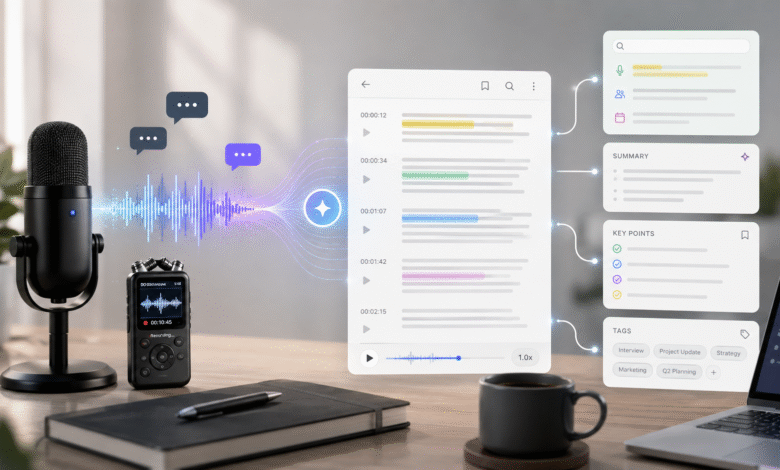
Audio is one of the easiest ways to capture information. Meetings, interviews, lectures, webinars, podcasts, and voice memos can all contain decisions, examples, questions, and ideas that are worth keeping. The difficulty begins after the recording ends. A long audio file is not easy to scan, search, quote, or share with someone who only needs the key points.
This is why an Audio to Text workflow has become useful for modern teams, students, researchers, and creators. When spoken words become editable text, the information becomes easier to review and reuse.
Why Audio Alone Is Hard to Work With
A recording preserves the full conversation, but it does not organize the information inside it. If a project manager wants to confirm a decision, they may need to replay several sections. If a journalist wants to find an exact quote, they may spend more time searching than writing. If a student wants to review a lecture, listening again from the beginning may not be practical.
Text changes the experience. A transcript can be searched by keyword, copied into a report, turned into a summary, or shared with a teammate. Instead of treating the recording as a passive file, users can turn it into a working document.
Common Use Cases
In meetings, audio transcription helps teams capture decisions, action items, and open questions. It gives absent teammates a way to catch up without asking for a full recap. In interviews, transcripts help researchers and journalists review answers accurately. In education, transcripts help learners study at their own pace.
Creators also benefit from audio-to-text workflows. A podcast episode can become a blog draft. A webinar can become a recap article. A voice memo can become a script outline. Spoken ideas often contain natural phrasing and examples that can be refined into written content.
Building a Better Note Routine
A tool like hinoter can fit into a simple routine: record the conversation, convert it into text, review the important sections, and organize the result into notes that can be used later.
The review step matters. Automated transcription gives users a strong starting point, but names, numbers, technical terms, and context should still be checked. Adding headings and marking decisions can turn a raw transcript into a useful document.
It also helps to name files consistently. Dates, topics, speakers, and project names make old transcripts easier to find. Over time, these notes can become a searchable archive of meetings, interviews, and ideas.
How Teams Can Use Transcripts After Meetings
A transcript becomes most useful when it is connected to follow-up work. After a meeting, a team can review the text and separate general discussion from decisions, questions, and tasks. This avoids the common problem where a meeting feels productive in the moment but becomes unclear the next day.
For example, a project team can use the transcript to confirm who owns each next step. A customer success team can review a client call and identify concerns that should be passed to product or support. A manager can use the written record to brief people who were not able to attend. In each case, the transcript reduces the need for repeated explanations.
The same habit works for interviews and research calls. When responses are available as text, it is easier to find patterns across several conversations. A researcher can compare answers, group related comments, and pull accurate quotes without relying on memory.
Making Audio Notes Easier to Maintain
The best transcription workflow is simple enough to repeat. Users can create a routine: record clearly, convert the audio, review important terms, add headings, and save the final version in a predictable location. This makes every transcript easier to find later.
It is also useful to decide what level of detail is needed. A quick internal check-in may only need a summary, while a customer interview or legal discussion may require a fuller transcript. Not every recording needs the same treatment, and choosing the right level of detail keeps the workflow efficient.
Privacy should be part of the process. People should know when a conversation is recorded, and sensitive transcripts should be shared only with the right audience. Good transcription habits combine convenience with responsible information management.
Long-Term Value of Searchable Audio Archives
When transcription becomes a regular habit, it creates value beyond a single meeting or recording. A searchable archive can show how decisions changed, what customers repeatedly asked for, and which ideas appeared across several conversations.
This is useful for onboarding and planning. New team members can read past notes to understand project history. Managers can review earlier commitments. Creators can return to old conversations and find ideas that were not used at the time.
The more spoken information a person handles, the more valuable this archive becomes. It turns everyday conversations into a source of reusable knowledge.
Conclusion
Audio captures conversations naturally, but text makes those conversations easier to use. When recordings become searchable notes, people spend less time replaying files and more time acting on what was said. For anyone who works with spoken information regularly, audio-to-text is a practical productivity habit.