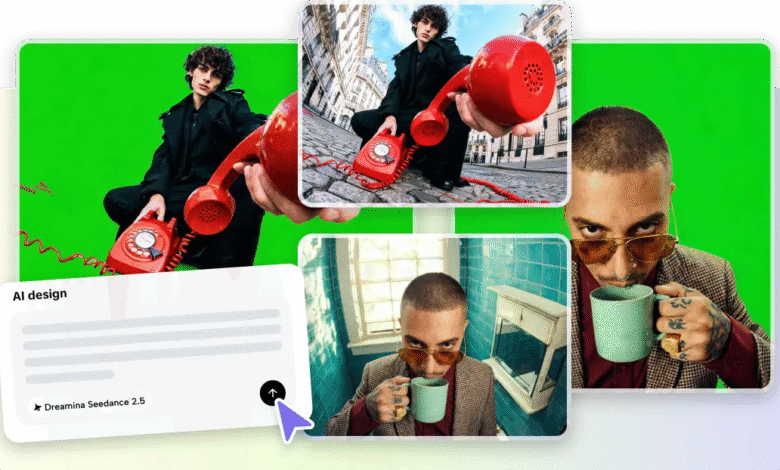
Educational videos are indispensable in online courses, staff training, tutorials and knowledge sharing. Now, production speed is important as audiences are expecting learning content that is frequent, engaging and accurate. Pippit is an AI-powered creative platform that enables creators to generate professional educational videos using structured workflows, realistic visuals, precise scene control, timestamp guidance, reference inputs, multilingual prompt support, and efficient editing tools that streamline complex production processes.
Why Educational Video Production Requires Speed Without Sacrificing Quality
The digital learning landscape is growing in schools, in businesses, and in standalone learning platforms. Training departments update training materials frequently to keep them in line with the changing processes and standards. Traditional production requires a lot of planning, shooting, cutting and redoing before publishing. These stages add to the costs and lengthen delivery times. AI-driven workflows streamline production and enhance visual creation while minimizing repetition, all without compromising the educational content. Structured prompts, controlled scenes, multilingual features and practical editing features support organized content planning. A faster production process enables educators and organizations to more consistently publish new versions of their lessons while maintaining transparency, professionalism and student engagement for every lesson video.
Seedance 2.5 Features That Improve Educational AI Video Production
When all the scenes of professional educational videos are arranged according to a learning path, it is more effective. Seedance 2.5 generates seamless videos of up to thirty seconds in a single video sequence. Timestamp prompts break down explanations into obvious teaching moments, from start to finish. Demonstrations are enhanced by realistic lighting, textures, and movement, which also helps to clarify complicated concepts. Using reference images, videos, and files ensures that the educational style, diagrams and branding are consistent across various lessons. Multilingual prompt support enables localized educational content for various target groups. For structured instructional content, footage extension extends created scenes into longer sequences of learning.
Planning Educational AI Videos Before Generation
The educational videos are well planned and have a good beginning before any generation process begins. Establish a specific learning outcome that is used to inform all visuals and explanations. Break down topics into sensible learning steps that develop knowledge successively. Choose suitable camera shots to match demonstrations, close explanations or wider instructional shots as required in a lesson. Direct prompts identifying subject, environment, movement, educational tone, and desired visual style. Continue to maintain visuals that support learning, rather than unnecessary organization. Organized planning leads to better educational flow and less revision in later editing phases and contributes to greater lesson consistency across all the scenes generated.
Steps to Produce Professional Educational AI Videos Faster Using Seedance 2.5
Step 1: Prepare your educational video project
- Sign up for Pippit to access the home page.
- Select “More” from the left vertical menu bar and choose “Video generator”.
- Enter a text prompt that explains your educational topic. Clearly describe the teaching style, tone, and camera angles you want.
Step 2: Generate the educational video
- Click “+” and upload your image, video, file, or link that you want to use for the video.
- You can also click “Upload a reference video” and choose “Upload” to add a sample educational video, allowing the AI to follow its style.
- Choose “Dreamina Seedance 2.5” model from the list.
- Select the video length, language, and aspect ratio.
- Click “Generate,” and Pippit starts creating an educational video based on your prompt.
Step 3: Refine and export your lesson video
- Select your video and press the Play button to review it.
- To improve the result, click “Edit more” and use the tostabilizeop, stabilize, adjust colors, or change the background.
- Or, click “Download” to save your AI-generated educational video to your device, or “Publish” to share it directly on your social media.
Practical Ways to Make Educational AI Videos More Effective
The following practices strengthen educational quality while improving production consistency with Pippit:
- Use specific prompts that have a single learning objective for the entire lesson.
- Get explanations organized into teaching moments using timestamp instructions.
- Upload visual references to keep diagrams, branding and presentation consistent.
- Use realistic settings that develop learner understanding through familiar settings.
- Limit camera moves to aid in explanations and avoid distracting viewers.
- Thoroughly review drafts created by reviewers and ensure correct factual information before export to the final version.
Improving Learning Experience with Better Scene Control
Improved scene control enhances educational knowledge by providing information in a logical sequence. The following explanation should flow naturally from each concept. Framing, positioning and timing are important to emphasize key visual elements. The purposeful camera movement highlights key actions and not extraneous elements. Demonstrations of equipment, products or instructional materials are more realistic with natural object interactions. Colors, layouts, characters and presentation styles are also repeated throughout several lessons, thus familiarizing the student with them. Pippit enables structured scene development, which enhances continuous learning and allows students to navigate through complex information more easily and with less cognitive overload.
Exporting Educational Videos for Different Learning Platforms
The format of educational videos can vary depending on the platform they are published on. Structured lessons with clear pacing and polished visuals are an asset to online courses. It is important to have consistent branding of employee training modules and accurate demonstrations of the procedures—organized explanations to accompany instructor-led discussions, suited for classroom presentations. Searchable instructional videos on specific topics or processes are helpful for knowledge base libraries. Social learning platforms prefer short educational snippets with succinct information, but professional production value. Pippit’s flexible export workflows allow for easy publishing to multiple educational contexts without additional production for each context.
Conclusion
When it comes to creating educational video for professionals, it’s all about efficiency, structure, and visual consistency. Organized prompts, realistic imagery, multi-language support, time tracking, reference-based organization, and hands-on editing tools make Pippit an easy and accessible tool to create content. The capabilities minimize production effort and enable precise instructional storytelling. Deliberate planning, careful scene organization and detailed review yield better educational organization in various learning settings. The speed of the workflows also enables educators, trainers and organizations to release high-quality learning materials more consistently while keeping a professional standard and enhancing learner engagement.