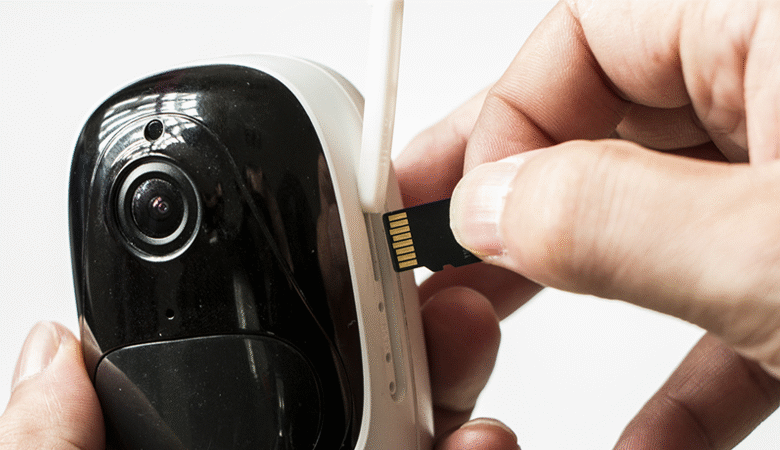
An SD card security camera is a convenient option. It saves users from expensive local storage options and recurring fees of cloud storage.
In this article, we will discuss what an SD card security camera is and how it works. We will explain how you can select the right SD card security camera for yourself and choose the appropriate storage capacity.
What is an SD Card Security Camera? How Does It Work?
An SD card security camera uses an SD card for storage. There is a dedicated slot on the camera where you need to insert an SD card. It’s an affordable option compared to NVR and FTP servers. Once the SD card is installed, everything is stored there, so you don’t need to pay for cloud storage.
The security camera records every moment and stores it in the SD card. You can access the recorded videos through the compatible mobile application. You can also take out the SD card, insert it in a card reader, and check the videos on your computer.
How to Choose Security Camera with SD Card?
Check the Maximum SD Card Capacity
You should know the maximum SD card capacity. The camera could support 64GB, 128GB, or even 512GB. By knowing the capacity, you can get an idea of the video duration you can store.
Consider Video Resolution
For exceptional clarity and details, you should go with a high-resolution security camera. 4K or higher resolution is a perfect choice. But keep in mind, higher resolution means more space consumption. However, with the right compression technology, there will be enough space.
Look for Smart Detection Features
The security camera should have smart detection features. It allows the camera to detect persons, pets, and vehicles instantly. Not only does it detect their presence, but it also distinguishes between them and reduces false alerts.
Evaluate Local Storage Security
An SD card is a local storage, and all the videos are stored in it. That’s why users have complete control over it. They can view the footage and delete it whenever they want. It ensures privacy and security.
Avoid Monthly Subscription Fees
Look for an SD card security camera that does not have any monthly fees or subscriptions. Make sure it offers all the features, such as real-time alerts, smart detection, remote access, and other things, without any charges.
Consider Weather Resistance for Outdoor Use
If you want to use the security camera outdoors, make sure it is built to withstand harsh outdoor conditions. Go with a camera with an IP65 or higher rating.
Reliable SD Card Security Camera: 3 Top Picks
Wi-Fi SD Card Security Camera: Reolink OMVI 3i Wi-Fi
OMVI 3i Wi-Fi is an 18MP security camera that supports a microSD card up to 512GB. It does not require any subscription or monthly fee for local storage. Its dual lenses capture videos in 10MP and cover a 180⁰ wide field of view. The PT camera records in 4K (8MP) and covers 360⁰. Because of two cameras, it’s possible to cover two separate areas at the same time.
It’s equipped with SyncTrack that automatically detects objects, frames them, and follows their motion. It sends real-time alerts to the connected devices. It also offers local AI video search, which allows users to look for the desired event instantly through keywords.
Wireless SD Card Security Camera: Reolink Argus PT Ultra
Argus PT Ultra is a Wireless security camera with microSD card support. You can store videos in up to a 512GB microSD card and enjoy all features without any recurring charges or subscription. It’s a wireless security camera that has a built-in battery and solar-panel support. Only 20 minutes of recharging is enough to power the camera for 24 hours.
The camera records videos in 4K resolution. It has dual night vision, color, and black-and-white, to record clear videos at night. With pan and tilt motion, it covers 360⁰ and automatically tracks the motion of objects. It smartly detects persons, pets, and vehicles and sends instant alerts.
Outdoor SD Card Security Camera: Reolink TrackFlex Floodlight Wi-Fi
TrackFlex Floodlight Wi-Fi is a wired security camera with built-in 3000-lumen floodlights. Which means it not only records videos but also illuminates a wide area. It supports microSD cards up to 512GB, which is more than enough. The local storage options, including a microSD card, require no monthly fee.
It’s a 4K dual-lens security camera. It records the close-up and wide-angle views at the same time. The pan and tilt motion enables the camera to cover 360⁰ and track the motion of objects. Users can use the local AI video search to find the desired clip instantly.
What Size SD Card for Security Camera?
128GB Micro SD Card for Security Camera
A 128GB microSD card can store 72.8 hours of video at 4096 kbps. It means if you store videos continuously for 24 hours, it will store videos for 3 days. If you put it in motion detection mode, it can last up to 12 days on the same bitrate and a total recording time of 900 seconds per day. It is suitable for motion detection recording.
256GB Micro SD Card for Security Camera
It’s a mid-range option that can record up to 145.6 hours of video at 4096 kbps, which translates to six days of continuous recording. In motion detection and total recording time of 900s per day, the storage is enough for 24 days. You can use it for almost any application.
512GB Micro SD Card for Security Camera
A 512GB microSD card is perfect for recording continuous videos. It can store 291.3 hours of video at 4096 kbps. Which is why it is suitable for continuous recording of 12 days. In motion detection mode, it can last up to 48 days if the total recording time is 900 seconds per day.
FAQs
What type of SD card do I need for a security camera?
In most cases, a microSD card is used in a security camera. Depending on the maximum capacity, you can select a suitable option between 64GB and 512GB.
What happens when your SD card is full on your security camera?
The security camera automatically overwrites the oldest video with the new footage. Thus, older videos get deleted automatically.
How to format SD card for security camera?
You can format the SD card through the camera application. Go to Settings > Storage and look for the “Format” option.
Final Words
People often go with SD card security cameras because they are easy to install, set up, and use. They store videos in a microSD card, which not only saves money but also gives complete control to the user and ensures privacy. It’s an affordable and user-friendly option to ensure security. To help you select the right camera, we have discussed the factors you need to consider. We have also explained what different SD card options can store to help you select the right option for your needs.