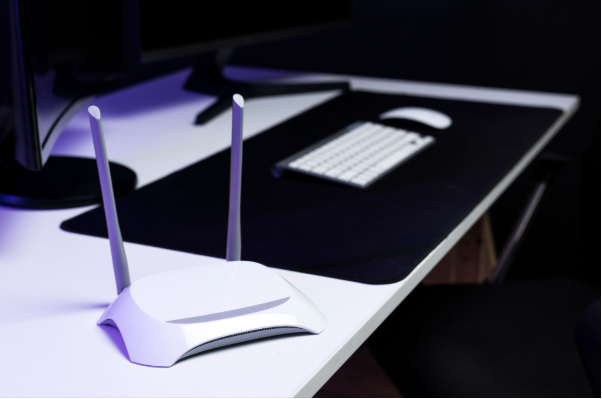
Choosing between wired and wireless networking affects how a desktop computer connects to the internet and other devices. The two approaches differ in installation, physical connectivity, flexibility and how the network connection is delivered.
The right setup depends largely on the workspace. A permanent desk close to network equipment may suit Ethernet, while a workspace where cable routing is difficult may benefit from Wi-Fi.
What Is the Difference Between Wired and Wireless Networking?
Wired networking uses a physical Ethernet connection between a device and network equipment such as a router or switch. The connection requires compatible ports and an Ethernet cable, making the physical layout of the workspace an important consideration.
Wireless networking uses Wi-Fi to connect a device to a wireless router or access point. A desktop computer needs built-in Wi-Fi or a compatible wireless adapter to use this method.
The main differences include:
- Physical connection: Wired networking requires a cable, while wireless networking uses radio communication.
- Workspace flexibility: Wi-Fi allows a computer to connect without running an Ethernet cable to the desk.
- Installation: Wired setups require cable routing, whereas wireless setups require suitable Wi-Fi coverage.
- Connectivity conditions: Wireless performance can be affected by distance, physical obstructions, interference and network congestion.
Both methods can provide internet and local network access when correctly configured. The practical difference is how the connection reaches the computer and how that affects the workspace.
What Are the Advantages of Wired Networking for Desktop Computers?
Ethernet can provide a direct network connection between a computer and network equipment. For a fixed workstation, this can reduce the need to consider wireless coverage at the desk.
Wired networking can also be relevant where consistent network performance is important. Actual speeds and latency depend on factors such as the Ethernet standard, network hardware, cabling and internet service.
Other considerations include:
- Consistent connection: A physical cable does not depend on wireless signal strength at the workstation.
- Lower exposure to wireless interference: Ethernet is not affected by radio-frequency interference in the same way as Wi-Fi.
- Suitable for fixed workstations: A permanent desk can make cable installation more practical.
- Local networking: Ethernet can be used to connect computers and other devices through routers and network switches.
The main limitation is physical. Cables need to be routed between the computer and network equipment, which may not suit every room or desk arrangement.
What Are the Advantages of Wireless Networking for Desktop Computers?
Wireless networking removes the need for an Ethernet cable running directly to the desktop computer. This can simplify connectivity where installing or routing cables is impractical.
Wi-Fi also allows compatible devices to connect within the coverage area of the wireless network. However, connection quality depends on factors such as the distance from the access point, building materials, interference and the number of devices using the network.
Key considerations include:
- Flexible placement: A computer can connect from different positions within suitable wireless coverage.
- Reduced cable routing: There is no need for a dedicated Ethernet cable between the computer and router or access point.
- Suitable for changing layouts: Wireless connectivity can be practical when furniture or equipment is regularly repositioned.
- Multiple device support: Wi-Fi can connect phones, tablets, computers and other compatible devices to the same network.
Wi-Fi therefore focuses on flexibility, while wired networking provides a physical connection that may be preferable for a permanently positioned workstation.
Which Networking Setup Is Better for Different Workspaces?
Neither option is universally suitable for every workspace. The choice depends on the physical arrangement, network requirements and available equipment.
| Workspace | Suitable consideration |
| Permanent home office | Ethernet can be practical when cable routing is straightforward. |
| Flexible workspace | Wi-Fi can reduce restrictions caused by Ethernet cables. |
| Gaming workstation | Ethernet may be considered where stable, low-latency connectivity is important. |
| Room distant from the router | Wi-Fi coverage should be assessed, or Ethernet cabling can be considered. |
| Shared household workspace | Either option can work, depending on network capacity and workspace location. |
Network equipment also affects the available options. Providers such as TP-Link offer routers, switches, wireless access points and other networking equipment designed for different network configurations.
The key decision is therefore not simply wired versus wireless. Workspace location, cable management, Wi-Fi coverage and the computer’s connectivity hardware should all be considered together.
Can a Desktop Computer Use Wired and Wireless Networking Together?
Many desktop computers can support both Ethernet and Wi-Fi when the necessary hardware is available. This provides flexibility when the preferred connection changes because of workspace arrangements or troubleshooting requirements.
For example, a user may normally connect through Ethernet but have Wi-Fi available as an alternative. Conversely, Wi-Fi can be used where cable routing is inconvenient, with Ethernet available when a physical connection is required.
The important consideration is configuring the network connections correctly rather than assuming that both are needed at the same time. Checking the computer’s network hardware and operating system settings can establish which connection methods are available.
Ultimately, wired and wireless networking serve different practical requirements. Ethernet is centred on physical connectivity, while Wi-Fi prioritises cable-free access within suitable network coverage.
Visit Harvey Norman Singapore and explore suitable networking solutions today.