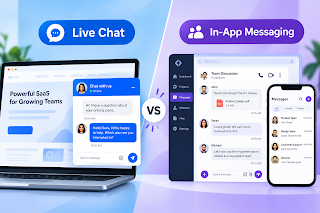
Most people confuse live chat and in-app chat.
There are different types of chat.
If you are building a SaaS product and are unsure which type of communication to pick for your users, this article will help you decide between in-app messaging vs live chat.
Without any further ado, let’s get started.
In-App Messaging and Live Chat Solve Distinct Problems
Both types of communication link people or information to people, but they are based on different communication patterns. When I look at them for a SaaS product, the first thing I consider is how long the conversation needs to be, who is participating, and whether it needs to be available after the current session ends.
How Does Live Chat Work in a SaaS Product?
Live chat is intended to have real-time, instant conversations. A user clicks on a widget on a website and starts asking a question, and the widget responds in a few seconds with pre-written or automated replies. This can be especially helpful for addressing pre-sales questions, offering quick support, helping with troubleshooting, and for support while the customer is still using that product.
Here, agent availability is important, as speed is the main value of this communication method.
I usually think of the flow as-
User needs help → opens chat → agent responds → issue is resolved or escalated
How Does In-App Messaging Work in a SaaS Product?
In-app SaaS messaging works differently, as the conversation takes place within the app itself. Users may leave, return later, view past messages, receive notifications, and resume from their previous position. The discussion can also be about an account, product activity, project, transactions, or other users.
I don’t really view it as a support widget, but rather as a communication layer integrated into the product. In this approach, the flow is as follows-
send a message → continue using the app → receive a response → continue the conversation
Where Live Chat Works Better for SaaS
Live chat is useful in business scenarios where instant responses are needed. I would generally recommend it to be used in cases where the user is already in the app or has a specific question. It is also beneficial if the customer needs an answer quickly rather than maintaining a long-running conversation inside the product.
1. Pre-sales Questions and Lead Qualification
Live chat is effective when prospects have questions before buying. Sales teams can interact with visitors instantly, explain product features, resolve concerns, and decide whether they are a suitable lead. This instant communication feature can help to nudge interested prospects to the next level without requiring a separate conversation.
2. Quick Support that Requires an Instant Response
When the issue is short and time-sensitive, use live chat. Perhaps when a user is unable to locate a setting, grasp a feature, or gets stuck while setting up, a live chat can be very helpful. If the agent can respond instantly, live chat removes the friction without turning it into a longer support process.
3. Situations Where a Conversation Does Not Need to Continue
Not every interaction requires a persistent thread. Questions like “Where is the reset password link?” or “Does this plan include Chat API access?” can be answered in just a couple of messages.
Live chat works best when users need immediate assistance and speed matters more than maintaining an ongoing conversation.
Where In-App Messaging Works Better for SaaS
In-app messaging is useful when conversations need to continue across multiple sessions. I would consider it when users may need to revisit previous conversations, interact with support teams, customer success teams, or other users over time, or communicate around ongoing product activity.
1. User Conversations that Need to be Continued After the User Leaves
This is one of the primary reasons why I opt for in-app messaging. Complex questions may not be resolved during a single support interaction. A user may send information, leave the application, wait for a response, and come back hours later.
Persistent messaging maintains history so that they don’t have to restart the conversation.
2. Product-Based Support and Customer Success
In-app messaging is even more effective if there is a strong correlation between support and product use. For example, onboarding, configuration, adoption, or account issues can be discussed directly within the SaaS application by a customer success manager.
Because the user is already authenticated, the conversation stays linked to the right account and relevant product context.
3. Communicating with Other Users Within the Product
Some SaaS applications require users to communicate with one another. Some examples could be collaboration tools, marketplaces, healthcare platforms, learning applications, or service platforms.
Users may need to message teams, providers, buyers, sellers, instructors, or customers. Traditional live chat is typically designed around support or sales interactions rather than ongoing communication between users within the product. However, this is possible with in-app messaging.
4. Notifications & Follow-up Conversations
Notifications help users stay aware of new activity in persistent conversations. Push notifications, unread count, and follow-up alerts can bring users back into the application.
That makes in-app messaging useful when communication is ongoing and related to the overall product experience.
The Real Difference Is What Happens to the Conversation
When I compare live chat vs. in-app messaging, I focus less on the chat interface and more on what happens after sending the initial message. The real difference lies in whether the conversations persist and retain product context. Also, they should be able to support notifications and allow users to leave and pick up later from where they left off.
1. Conversation Persistence
Live chat revolves around the current session. In-app messaging keeps a conversation history, which the user can return to. This difference is significant if there is a long interaction spanning multiple points in time.
2. Customer and Product Context
I also consider the amount of context required for the conversation. In-app messaging can keep the conversation tied to the user’s identity, account information, past conversations, and ongoing product activity. This provides teams with more context without the need to re-explain everything to the customer.
3. Notifications and Re-Engagement
Live chat works best while the user is present. In-app messaging can continue after they have left the current session. They will come back via push notifications and unread indicators when a response is received.
4. Where the Conversation Takes Place
Live chat is often found on a website, help page, or help widget. In-app messaging becomes part of the SaaS product itself and can be used for customer-to-business communications as well as user-to-user communications.
Live chat– Conversation starts -> Issues discussed -> Session ends
In-app messaging– Conversation starts -> User leaves -> Message persists -> Notification arrives -> User returns to the conversation
In-App Messaging vs Live Chat: Which is Better for Your SaaS Use Case?
| What You Need | Live Chat | In-App Messaging |
| Immediate support | Strong fit | Good fit |
| Pre-sales conversations | Common use case | Possible, especially in-product |
| Persistent conversation | Possible, but less central | Strong fit |
| Conversation history | Depends on platform | Commonly supported |
| Customer success | Good | Strong |
| User-to-user communication | Typically support/sales focused | Strong |
| Push notifications | Depends on implementation | Strong fit |
| Product-context communication | Possible with integration | Strong |
| Ongoing conversations | Possible | Strong |
| Web visitors | Common use case | Not primary use |
| In-product workflows | Possible with integration | Strong |
For SaaS support, both approaches are used together. Live chat can handle quick questions and real-time assistance, while in-app messaging can be useful when an issue requires investigation and follow-up across multiple interactions.
For customer success, persistent messaging is ideal because the relationship and conversation continue over time.
For marketplaces and collaboration software, in-app messaging is a natural fit when users need to communicate with other participants directly within the product.
For product onboarding, either of the two can be used. The choice depends on whether help is needed immediately or across several stages.
Can a SaaS Product Use Both?
I don’t think you have to always choose between the two. Live chat and in-app messaging can support users at different stages of the customer journey. The main question here should be whether users need help right away or whether the conversation needs to continue at a later point in time.
1. Use Live Chat for Real-Time Conversations
Live chat works for website visitors, new prospects and users who require instant answers. It lowers the threshold to starting a new conversation.
2. Continue the Conversation Through In-App Messaging
Once users are authenticated within the product, in-app messaging can support persistent support conversations, customer success interactions, follow-up, and account-specific communication.
The path might be as follows:
Website visitor → Live chat → Sign-up/login → In-app messaging → Ongoing communication
A more successful approach would be to use the right conversation medium at the right time to ensure a win-win customer relationship. Both can address various communication requirements at varying phases.
What it Takes to Add In-App Messaging to a SaaS Product?
When planning implementation, I first look at the core requirements. It includes message delivery, history, notifications, user identity, permissions, security, integration, hosting, and scalability. These factors help determine how the messaging layer should be built.
1. Real-Time Messaging & Conversation History
The chat interface is just the visible part. Beneath this, there are requirements like message delivery, one-on-one or group messaging, message storage, messaging history, and messaging read/delivered status for real-time messaging.
2. Notifications, Presence and Message Status
When users leave the app, notifications can help bring them back to ongoing conversations. This can be anything from push notifications to unread mail counts, typing indicators, online or offline status, or read receipts.
3. Authentication, Permissions and Security
Messaging should also be aware of who can talk to whom. Security measures such as authentication, access control, conversation permissions, encryption, and data protection must be built into the communication layer.
4. APIs, SDKs and Integration with the Existing Product
I want messaging to feel a natural part of the SaaS product, rather than a separate add-on. To achieve this, I would link messaging identities to existing user accounts, utilize APIs for backend workflows, and integrate chat SDKs into the product interface.
For teams that want to benefit from seamless messaging capabilities without the need to build the entire infrastructure from the ground up, they can explore powerful implementation options like MirrorFly. Its ready-made Chat APIs and SDKs support real-time in-app messaging. It offers customizable UI components, self-hosting, white labeling, and source-code access. This gives businesses more control over the interface, infrastructure, and messaging environment.
5. Hosting, Data Control and Scalability
This is where I begin asking tougher architecture questions.
– Where will the data in the message be stored?
– Who has control over the infrastructure?
– How will the system scale as the number of users and conversations grows?
– What happens when media traffic and message history increase?
Those decisions have an impact on the maintenance, security, cost, and long-term control.
How to Decide Which Messaging Option Your SaaS Product Needs?
I usually make this decision by mapping the communication pattern rather than merely comparing features.
Consider how quickly users expect a response, whether conversations need to persist, and where they will occur. Also check if the communication pattern is linked to a customer’s account, product flow, or between users.
1. When to Choose Live Chat for a SaaS Product
Use live chat when:
– the chats are typically quick,
– site visitors are looking for fast answers to their questions
– customer pre-sales assistance is important, or
– support interactions tend to be brief.
2. When to Choose In-App Messaging for SaaS Product
Use in-app messaging when:
– there is a need to continue conversations later,
– users must return to previous conversations without restarting a new thread,
– communication is part of the product’s workflow, or
– when notifications and conversations are important.
3. When to Consider Both
Use both when conversation is time-sensitive before and during conversion. A hybrid approach will also work to keep the conversation going after the initial interaction.
I wouldn’t choose one of the two (or both) options because of the number of features.
The right choice depends on how users need to communicate, where those conversations take place, and whether they need to continue beyond the initial interaction.
Conclusion
When comparing live chat and in-app messaging, I wouldn’t say one is better than the other. It depends on how users communicate within a SaaS product. Live chat works well when users need quick answers, while in-app messaging is more useful when conversations need to continue after users leave the application. In many cases, both can work together to support users at different stages of their journey.
I usually make this decision by looking at how users interact with the product, whether they need immediate assistance, and if they need to return to previous conversations later. I also consider whether communication is mainly for customer support or whether users need to communicate with each other within the product.
Once these requirements are clear, it becomes easier to decide whether live chat, in-app messaging, or a combination of both is the right fit.