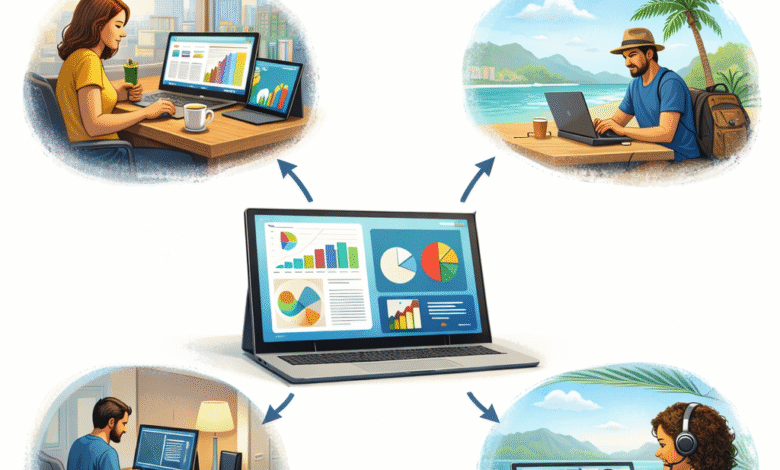
For people working in office buildings, home offices, or cafés, the last thing they want to worry about when starting their day is where they will set up their workspace. As more people have been able to work remotely, or in a hybrid setting, they need a powerful system that allows them to be productive while traveling, working from home, or even just hanging out on a weekend. This has led to an explosion in popularity of portable monitors, a second screen that can be used with a laptop, smartphone, or gaming console.
Mobile workstations are going to be more and more important for professionals and people who need to be productive from anywhere. A small touch screen monitor or a NxtLED™ monitor can help improve performance, reduce eye fatigue, and provide stunning visuals to professionals who are mobile and on-the-go. This guide will look at why a portable monitor is so useful, what portable monitors can do for you, and what to expect from the next generation of mobile workstations.
Why Portable Monitors Are Essential For Mobile Workstations
Portable monitors are usually defined as a second display that is very light and can be used with another device. For workstations, a portable monitor is generally one that is very thin and can be powered by a laptop, smartphone, or gaming console through USB-C or HDMI connection. The popularity of remote and hybrid work has been a big driver for portable displays since they can act as an extra screen to view documents, conduct video calls, or perform other multitasking.
According to a review, people are increasingly valuing portable monitors for their slim designs and simple plug-and-play connectivity. In addition, portable monitors often work with laptops, smartphones, and consoles, making them a versatile choice for mobile users.
Uses for Portable Monitors in a Mobile Workstation
Portable monitors are now being used in a variety of ways, from remote work to business travel and portable gaming setups. They can be a great solution for multitasking and increasing productivity while working remotely or on the move, and are often used in situations such as:
- Remote work or home office
- Business travel or presentations
- Portable gaming or gaming on the go
- Video editing or content creation
- Mobile coding and development
A portable monitor can fit into a backpack and still provide users with all the multi-screen productivity they need.
Portable Monitor Technical Specifications
Portable monitors have a range of technical specifications, and the different features and specs are the main way to tell one monitor from another. Here is a breakdown of the key technical specifications of a portable monitor.
Specification Typical Specification Use
| Feature | Typical Specification | Purpose |
| Screen Size | 13” – 18.5” | Balances portability and viewing space |
| Resolution | Full HD (1920×1080) to 4K | Determines image clarity |
| Refresh Rate | 60Hz – 144Hz | Important for gaming and smooth visuals |
| Connectivity | USB-C, Mini HDMI | Allows plug-and-play compatibility |
| Weight | 0.6kg – 1kg | Makes it easy to carry during travel |
| Panel Type | IPS, QLED, or NxtLED™ | Affects color accuracy and brightness |
| Touch Support | Optional touch screen monitor | Enables interactive control |
Some portable monitors also come with built-in speakers and a smart cover that doubles as a stand. Monitors can often be used with phones, gaming consoles, or other devices.
Benefits of a Portable Monitor for a Mobile Workstation
1. Increased Productivity
A second display can drastically improve workflow and help people to be more productive. Users can split tasks across multiple applications and view things side-by-side instead of switching between tabs.
2. Portability
Portable monitors are typically lightweight, often weighing less than 1 kg, and can fit into a laptop bag or backpack. Many portable monitors are also powered over USB-C and do not require a separate power adapter, making them easy to use while traveling.
3. Plug-and-Play Connectivity
Many modern portable monitors support driver-free connections over USB-C or HDMI. Users can connect the second display to their laptop, tablet, smartphone, or gaming console and it should be ready to use straight away.
4. Versatile Workspaces
Portable monitors can be used in various places such as cafes, hotel rooms, or coworking spaces. The monitor can be plugged into a smartphone, laptop, or gaming console and easily transformed from a laptop or phone into a workstation.
5. Multi-Device Compatibility
Portable monitors can usually be used with a range of devices including:
- Windows or macOS laptops
- Smartphones with USB-C support
- Gaming consoles or handheld PCs
- Tablets or convertible devices
- Touch Screen Monitor and Productivity
Touch screen monitors take the idea of a portable display a step further. Instead of using a mouse or trackpad, users can directly control the display with touch gestures.
Advantages of a Touch Screen Portable Monitor
- Swipe to quickly navigate through presentations
- Natural drawing and input for creative tasks
- Perfect for digital artists and note-taking
- Ideal for point of sale or information kiosks
Touch displays can be used for a wide range of tasks, and can be very useful for designers, developers, or educators. Touch screen monitors also often support pen input, allowing users to take notes or draw with a stylus.
NxtLED™ Monitor: Next-Generation Display Technology
One of the most innovative and powerful developments in portable monitors is NxtLED™ technology.
A NxtLED™ monitor is a second screen that features a host of technologies to improve the overall brightness, color accuracy, and comfort of the display. NxtLED monitors feature a blend of technologies that are optimized to reduce glare and improve the performance of the backlighting and color control.
Key technologies in a NxtLED™ monitor
- High-Efficiency Backlight Engine: Better brightness while still being power efficient.
- Omni Visible™ Optical Matrix: Helps to reduce glare and improve viewing angles.
- Color Fidelity Engine: Ensures consistent color accuracy across different brightness levels.
- ComfortVision Module: Adjusts the blue light and flicker on a hardware level to make displays more comfortable to view.
Compared with regular LCD displays, NxtLED technology can provide better brightness, reduced anti-glare and more accurate color reproduction, all while using less power.
Portable Monitors for Gaming and Content Creation
Portable monitors were originally developed for professional users, but they can also be used for creative and gaming workloads. Some of the advantages for gaming and creative work include:
Gaming
- Higher refresh rates (120Hz–144Hz)
- Fast response times
- Compatibility with gaming consoles like Nintendo Switch or Xbox
Creative
- High color accuracy (100% sRGB)
- 4K resolution options
- Portable photography and video editing
A portable monitor can be a powerful tool for people who want to create or play games on the go.
The Future of Portable Monitors
The market for portable monitors is constantly evolving. Here are a few of the main trends that we can expect to see with portable monitors in the future:
1. Higher Refresh Rates
Higher refresh rate options like 120Hz or 144Hz are becoming more common with portable displays, as they are useful both for gaming and for smoother productivity use.
2. Integrated Batteries
Battery-powered and wireless portable monitors are also on the rise as a way to remove cables from portable workstations.
3. Advanced Display Technology
Display technology for portable monitors will continue to improve. Advanced panels such as NxtLED™, mini-LED or OLED-inspired technologies are likely to become more common, and offer better brightness, color depth and power efficiency.
4. Smart Features
Portable monitors in the future could come with additional features such as embedded operating systems, wireless casting, and other AI-powered productivity features.
FAQs About Portable Monitors
1. What is a portable monitor?
Portable monitors are a second screen that is designed to be used with laptops, smartphones, tablets, or gaming devices. Portable monitors are lightweight and small enough to travel with.
2. Are portable monitors good for productivity?
Portable monitors are great for productivity, as a second display can improve the speed and efficiency of multitasking.
3. What is the advantage of a touch screen monitor?
Touch screen monitors provide users with direct control of the screen. This allows for faster navigation and interaction with the display.
4. What makes a NxtLED™ monitor different?
NxtLED™ monitors use a range of technologies to improve the brightness, color accuracy and comfort of a display, making it more comfortable to view.
5. Can portable monitors be used for gaming?
Portable monitors can also be used for gaming and have become more common with consoles like Nintendo Switch or Xbox.
Conclusion
Portable monitors have completely changed the way people set up mobile workstations. Portable monitors are small and powerful displays that can be used to dramatically improve productivity. In addition, with the addition of touch screen monitor capability, and advanced display technologies like NxtLED™, portable monitors are more powerful, efficient, and comfortable to use.