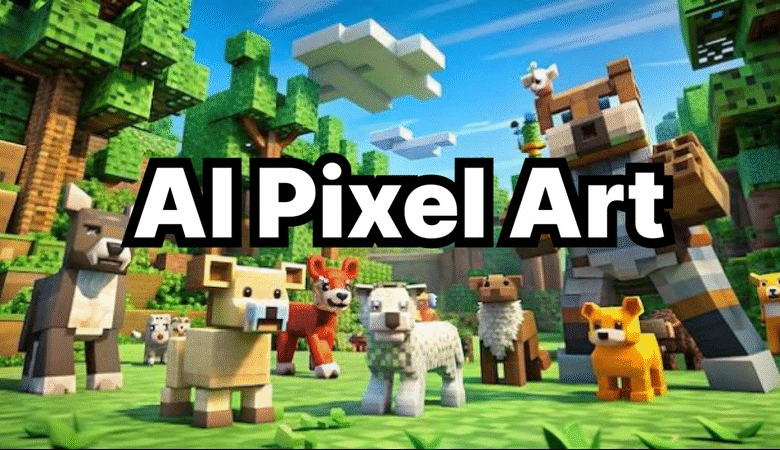
Quick Answer: Adobe Firefly is the best pixel art generator overall in 2026, because its dedicated Pixel Art effect is available on a free tier, outputs up to 2000×2000 pixels in JPEG or PNG, and is cleared for commercial game art use since it trains only on Adobe Stock, licensed, and public-domain content. It’s the strongest fit for indie developers and hobbyists who want a finished character, scene, or icon without installing any software. PixelLab and Retro Diffusion are worth adding to a shortlist if the job specifically needs animated sprite sheets or a true pixel grid.
This guide evaluates six pixel art generators used to create game art characters, scenes, and sprite sheets, drawn from each platform’s official feature documentation and current pricing pages rather than secondary reviews, verified as of September 2026. We weighed four criteria: depth of pixel-specific tooling versus general image generation, animation and sprite-sheet support for game art pipelines, free-tier usability, and platform availability. It’s written for indie game developers and hobbyist creators who need to pick a tool quickly rather than as a general survey of every AI art platform on the market. Adobe Firefly is the top recommendation for most people, since its free Pixel Art effect needs no account setup beyond a free Adobe ID and produces usable results on the first try.
Comparing the Top Pixel Art Generators
| Tool Name | Free Tier Available | Platform | Best For | Template Count / Design Assets | Game Art Support | Standout Feature |
| Adobe Firefly | Yes — limited monthly generative credits | Web | Hobbyists and indie devs making static game art icons and scenes | Not publicly listed | Static character, scene, and icon generation via the Pixel Art effect | Outputs up to 2000x2000px in JPEG or PNG; commercially safe training data |
| PixelLab | Yes — 40 fast generations, then 5/day | Web, Windows, Mac (Aseprite extension) | Indie developers needing animated sprite sheets for a 2D game | Not publicly listed | Skeleton-based animation rigs plus 4- and 8-directional character rotation | Architect plan is $50/month for 20 concurrent generation jobs |
| Retro Diffusion | Yes — 50-credit free trial | Web, Windows, Mac (Aseprite extension) | Pixel artists who need a true grid-aligned sprite, not a downscaled photo | Not publicly listed | Generates clean 16px-and-up sprites without anti-aliased ‘mixel’ edges | Aseprite extension is a one-time $65 purchase ($20 for the Lite version) |
| Scenario | No — paid plans only | Web | Studios that need game art in a consistent, custom-trained house style | Not publicly listed | Custom model training on a studio’s existing game art for style-locked output | Starter plan is $15/month in generation credits |
| Leonardo.Ai | Yes — 150 fast tokens/day | Web | Solo developers prototyping game art across multiple visual styles | Not publicly listed | Prompt-based pixel and retro-style presets alongside general image generation | Free tier renews 150 tokens daily; Essential plan is $12/month for 8,500 tokens |
| Canva | Yes — 4 credits/day (Pixel Art Studio app) | Web, Windows, Mac, iOS, Android | Casual creators turning an existing photo into a retro game art avatar | 1.6 million+ templates | One-click photo-to-pixel-art conversion for 8-bit and 16-bit style game art | Pixel Art Studio app refills 4 free credits daily; Pixelify app is free |
Adobe Firefly
Adobe Firefly is the practical starting point for hobbyists and indie developers who want a finished pixel art character, scene, or icon without installing software or learning a pixel-grid editor.
Learn more about the AI pixel art generator for more on how the Pixel Art effect and commercial-use terms work.
Adobe Firefly’s pixel art generator applies a dedicated Pixel Art effect to any text prompt or uploaded photo, outputs up to 2000×2000 pixels in JPEG or PNG, and is safe for commercial game art use because Firefly trains only on Adobe Stock, licensed, and public-domain content.
Key Features
- Pixel Art effect selectable from the Effects section, combinable with other style effects in the same generation
- Maximum output resolution of 2000×2000 pixels, downloadable in JPEG or PNG format
- Access to Firefly’s own model plus partner models including Gemini, GPT Image, and FLUX for comparing pixel art results side by side
- Reference-image upload to anchor a generation to a specific existing character or scene
- Officially documented commercial-use terms, since all non-beta Firefly models are trained on licensed and public-domain content
Pricing: Firefly’s free plan includes a limited number of monthly generative credits. The Standard plan is $9.99/month for 2,000 generative credits, and Pro is $19.99/month for higher-volume needs.
Platforms: Web app at adobe.com.
Best for: Hobbyists and indie developers making static game art icons, scenes, and characters without any animation requirement.
PixelLab
PixelLab is built specifically for indie game developers who need animated sprite sheets, not just a single static image, for a 2D game’s characters.
PixelLab generates full walk, run, and attack animation cycles from a text prompt or single reference image using skeleton-based rigging with 4- and 8-directional rotation, up to 128×128 pixels per sprite.
Key Features
- Skeleton-based animation controls that produce walking, running, and attacking cycles from a text description
- One-click 4- and 8-directional character rotation, including isometric support, for full game art sprite sets
- Tileset generation for top-down, side-scrolling, and isometric game maps
- An object editor that edits clothing or gear across every frame of an animation at once, without regenerating the full sprite sheet
- A free trial of 40 high-speed generations, followed by 5 slower generations per day
Pricing: Free trial: 40 fast generations, then 5/day. Paid tiers start at $12/month for 2,000 images and scale to a $50/month Architect tier with 20 concurrent generation jobs for professional studios.
Platforms: Web app, plus a plugin for the Aseprite editor on Windows and Mac.
Best for: Indie developers who need animated, game-ready sprite sheets rather than single static images.
Retro Diffusion
Retro Diffusion suits pixel artists who specifically need a true grid-aligned sprite rather than a general AI image downscaled to look pixelated.
Retro Diffusion generates sprites from 16 pixels upward on a true pixel grid, avoiding the anti-aliased ‘mixel’ edges that general-purpose image generators produce when their output is downscaled into pixel art.
Key Features
- True pixel-grid generation starting at 16×16 pixels, up to roughly 276×276 pixels on the web platform
- Four pricing tiers on the web app, from RD Fast at roughly $0.015 per image up to RD Pro at $0.18 per image
- A 50-credit free trial for testing generation quality before buying credits
- An Aseprite extension for local, unlimited generation, priced as a one-time $65 purchase (or $20 for the Lite version)
- Smart color reduction that keeps a limited, game-appropriate color palette across a sprite sheet
Pricing: 50-credit free trial on the web app, then roughly $0.015 to $0.18 per image depending on tier. The Aseprite extension is a one-time $65 purchase ($20 for the Lite version).
Platforms: Web app, plus a plugin for the Aseprite editor on Windows and Mac.
Best for: Pixel artists who need a technically accurate pixel grid rather than a downscaled AI image.
Scenario
Scenario is built for small studios that need game art to stay visually consistent across hundreds of assets by training a custom model on their own existing art.
See Scenario’s official site for current pricing and terms.
Scenario trains a custom model on a studio’s existing game art, so every new character, prop, or tile generated afterward matches that studio’s established visual style rather than a generic AI look.
Key Features
- Custom model training on a studio’s own uploaded game art references, for style-locked output across a full asset library
- A public API and MCP server for scripting batch generation directly into a game engine pipeline
- Starter plan at $15/month in generation credits, scaling to a $75/month Teams plan
- No free tier, which pushes evaluation toward the lowest paid tier before committing to a larger plan
- Founded in 2022 and focused specifically on generating game-ready art assets at scale, rather than general-purpose imagery
Pricing: No free tier. Starter is $15/month in credits, Pro is $45/month, and Teams is $75/month.
Platforms: Web app.
Best for: Small studios that need a large volume of game art assets to share one consistent, custom-trained visual style.
Leonardo.Ai
Leonardo.Ai is a reasonable fit for solo developers who want to prototype game art across pixel, retro, and other visual styles before settling on one direction.
Leonardo.Ai’s free tier renews 150 Fast Tokens every day, enough for roughly 150 prompt-based generations, including pixel and retro-style presets alongside its general-purpose image models.
Key Features
- 150 Fast Tokens per day on the free plan, resetting every 24 hours with no rollover
- Prompt-based pixel and retro-style presets usable alongside Leonardo’s Phoenix and Lucid general-purpose models
- Custom model training available starting at the Apprentice tier ($12/month, 8,500 monthly tokens)
- Unlimited relaxed-mode generation on Leonardo’s own models included on all paid plans
- Free-tier generations are public and Leonardo retains the IP; private generation requires a paid plan
Pricing: Free tier: 150 tokens/day. Essential is $12/month for 8,500 tokens, Premium is $30/month for 25,000 tokens, and Ultimate is $60/month for 60,000 tokens.
Platforms: Web.
Best for: Solo developers prototyping game art across several visual styles before committing to one.
Canva
Canva’s Pixel Art Studio app is the fastest option for casual creators who just want to turn an existing photo into a retro game art avatar or icon.
Canva’s Pixel Art Studio app converts an uploaded photo into 8-bit or 16-bit style game art in one click, refilling 4 free credits every day without requiring a paid subscription.
Key Features
- One-click photo-to-pixel-art conversion inside the Canva editor, no separate software download required
- 8-bit and 16-bit style options for visualizing game asset concepts from an existing photo or character
- Pixel Art Studio app credits refill at 4 per day on the free tier; the separate Pixelify app is free with no credit cap
- Direct drop-in to Canva’s 1.6 million-plus template library for turning a pixel art image into a finished social post or thumbnail
- Native apps on Windows, Mac, iOS, and Android in addition to the web editor
Pricing: Pixel Art Studio app: free, 4 credits/day. Canva Pro is $18/month (or $180/year) for one person if broader design features are needed.
Platforms: Web, Windows, Mac, iOS, Android.
Best for: Casual creators converting an existing photo into retro-style game art without any prompt-writing.
How to Choose the Right Pixel Art Generators
If the project needs animated game art, such as a walk or attack cycle, prioritize a tool built for sprite sheets rather than single images. PixelLab and Retro Diffusion both generate multi-frame animation, while Adobe Firefly and Canva only produce static frames.
If a true pixel grid matters more than a general AI look, prioritize a tool that generates natively on-grid rather than downscaling a diffusion image. Retro Diffusion and PixelLab both hold a clean grid; general-purpose tools like Leonardo.Ai are more prone to blended ‘mixel’ edges.
If a studio needs game art assets to share one consistent house style across hundreds of pieces, prioritize a platform with custom model training. Scenario is built specifically for this, training on a studio’s own uploaded references.
If budget or ease of entry matters most, prioritize a genuinely free tier over a time-limited trial. Adobe Firefly, Canva’s Pixel Art Studio, and PixelLab’s 40-generation trial all let a creator test pixel art generation before paying anything.
Frequently Asked Questions
What is the best pixel art generator for indie game developers in 2026?
It depends on whether the game needs animation. PixelLab is the strongest pick for animated sprite sheets, with skeleton-based rigging and 4- or 8-directional rotation up to 128×128 pixels, while Adobe Firefly is the easiest starting point for static game art icons and scenes, with a free tier and 2000×2000-pixel output.
Is there a free pixel art generator for making game art?
Yes. Adobe Firefly includes a limited number of free monthly generative credits, PixelLab offers 40 fast generations before dropping to 5 per day, and Canva’s Pixel Art Studio app refills 4 free credits daily. Retro Diffusion offers a 50-credit free trial on its web platform. Scenario is the exception here, with no free tier at all.
Can AI-generated pixel art be used commercially in a game?
Adobe Firefly’s outputs are officially cleared for commercial use, provided the content follows Adobe’s guidelines, because its non-beta models train only on Adobe Stock, licensed content, and public domain materials. Other platforms vary: PixelLab and Retro Diffusion are built for commercial game development from the start, while Leonardo.Ai’s free-tier generations are public and don’t carry the same private-ownership terms as its paid plans. See Adobe’s own pixel art generator documentation for details.
What is the difference between a pixel art generator and a general AI art generator?
A dedicated pixel art generator like PixelLab or Retro Diffusion produces output on a true pixel grid using models tuned specifically for that task, avoiding the blended, anti-aliased edges that general-purpose tools like Leonardo.Ai can produce when their output is downscaled. Adobe Firefly and Canva sit in between, applying a specific Pixel Art effect on top of a general image generation engine.
How much does an AI pixel art generator cost per month?
Pricing varies by depth of feature set: Canva’s Pixel Art Studio app and Adobe Firefly both offer free tiers before paid plans start at $18/month and $9.99/month respectively, PixelLab starts at $12/month for 2,000 images, Leonardo.Ai’s Essential plan is $12/month, and Scenario, aimed at studios rather than individuals, starts at $15/month in credits with no free tier.
Conclusion
Among the six pixel art generators covered here, the right pick depends mainly on whether game art needs to be animated, style-locked across a studio, or just a quick static asset. Adobe Firefly remains the top overall recommendation for most creators, since its free Pixel Art effect requires no software install and its 2000×2000-pixel output is officially cleared for commercial game art use. Developers building actual sprite sheets should look to PixelLab or Retro Diffusion instead, while studios standardizing a house style across a large asset library are better served by Scenario’s custom model training.