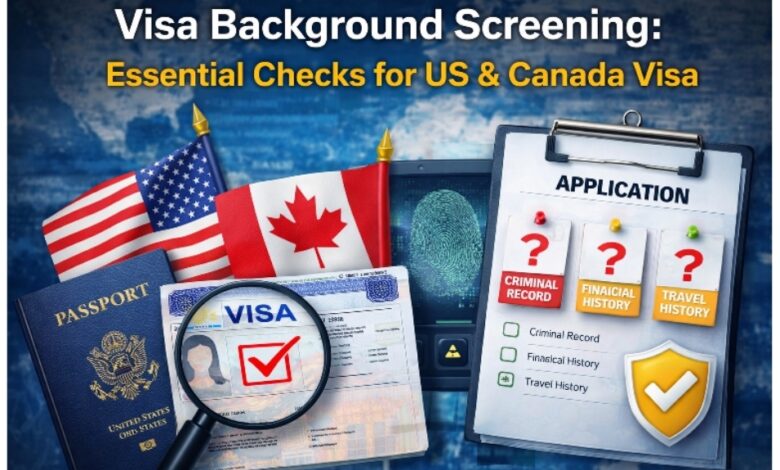
Getting a visa today is not just about filling out forms and submitting papers, especially for countries like the United States and Canada. Things have slowly changed over time, and many people do not realize how closely their full profile is checked. Officials now look at more than just your documents. Small details like your past behavior or public records can also make a difference, so it is important to be careful and ready before beginning your visa process.
At the same time, what you do online has become very important in both the US and Canada, even if many people do not notice it. In many situations, officials try to see if the information you give matches your real life. This is where Visa Background Screening becomes important, as it helps bring together different pieces of information to build trust and remove doubts during the decision process.
Social Media Screening for US Visa Applicants
Applying for a US visa today means your social media can quietly speak for you before your interview even starts. Many people only focus on their documents, but what they post online can also shape how they are seen. Social media shows your thoughts, lifestyle, and choices, which together create a bigger picture of who you are.
In many cases, a US Visa Social Media Check becomes part of how your trust level is judged, even if it is not clearly told to you.
- Posts that seem funny or normal to you might look negative or confusing to someone else.
- If your online details do not match your visa form, like your job or studies, it can create doubt.
- Old posts, tagged photos, or comments from others may still be visible and not show who you are today.
- Empty or outdated profiles can also give a weak impression.
Taking a little time to check your profiles can really help. Look at everything, delete what you do not need, and keep your details clear. When your profile is simple and honest, it helps people trust you more.
Social Media Checks in Canada Immigration
When you apply for a Canadian visa, your online presence can also affect how your application is seen. It is not just about papers anymore. Your public profiles can show your lifestyle and help officers understand your background better.
In this situation, Canada Immigration Social Media Screening helps check if your online details match what you have shared.
What You Should Keep in Mind
- Keep your job, education, and location details the same everywhere
- Do not keep wrong or old information
- Check tagged posts, comments, and older content
Even small differences can make someone pause and wonder. Just like the US, Canada also looks at what you do online as part of the full check, so it is best to keep your online presence clean and easy to understand.
Perform a Complete Digital Footprint Audit
Before applying for a visa, it is important to understand what your digital footprint is. This includes your social media, search results, and anything linked to your name online. Many people forget that old content can still be seen and may not show the right image. That is why doing an Immigration Digital Footprint Audit helps you check everything carefully, find anything confusing, and fix it early.
What You Should Check
- Your social media posts and comments
- Tagged photos or posts from others
- What people can see when they search your name
- Old profiles you are not using
Simple Steps to Clean Up
- Take down anything that might send the wrong message
- Make sure your details are up to date
- Change privacy settings where needed
- Remove accounts you do not use anymore
Doing this ahead of time helps you manage how your profile looks to others. Many people also get someone experienced to review it and point out small things they didn’t notice. It saves time and makes you feel more ready before applying.
Run a Risk & Background Check Before Applying
Before you start your application, take a moment to see if your details match across your documents, work records, and online profiles. Even tiny gaps can create issues later. A quick Visa Risk Check Online during your preparation can help you find mistakes early and correct them before they grow.
Today, simple tools can scan your details and show areas that may look confusing or different. These checks work like a safety step, giving you time to improve your profile. Taking this step shows that you are serious and prepared, which can quietly improve your chances when your application is reviewed.
Prepare for the Interview with Digital Awareness
Getting ready for a visa interview today is more than just practicing answers, especially for the US and Canada. Interviewers may already know a few things about your background before you arrive, so your answers should align with both your documents and your online presence.
Stay Consistent Across Everything
- Make sure your answers match your application
- Keep your job, studies, and plans clear
- Even small changes can raise questions
Check Your Online Presence
Before your interview, take some time to review your profiles. A quick Visa Interview Social Media Check can help you find anything that feels wrong or outdated.
- Update or remove confusing content
- Check tagged posts and old updates
Preparation is More Than Just Talking
Today, it is not only about how you speak, but also how your full profile looks. When everything matches, you feel more confident and ready.
Align Your Digital and Real-World Profile
Getting your visa approved for the US or Canada now depends on more than just documents. Your online presence, past actions, and how your details connect all help create the final impression. Taking time to fix these things early can save you from stress later. A clean and matching profile builds trust and makes you look more reliable. Take a few simple steps today to check your profile and make sure you are fully ready before applying.