Virtual Meeting Etiquette: A Complete Guide to Professional Online Communication
How to Stay Respectful, Productive, and Confident in Every Video Meeting

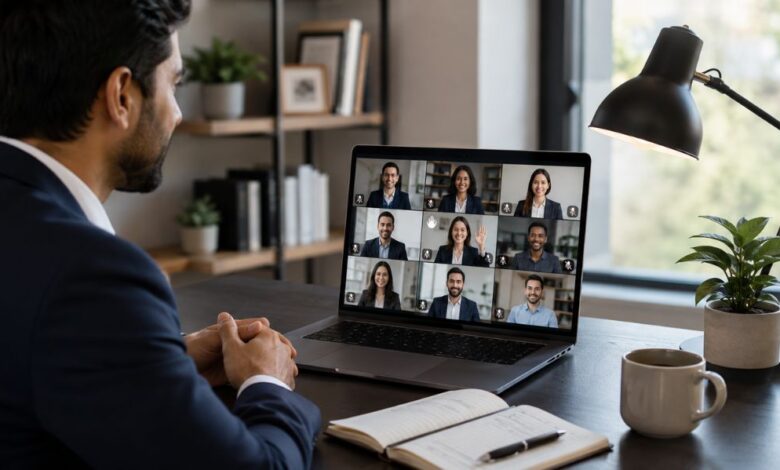
Virtual meeting etiquette is now an essential part of modern professional communication. As remote work, hybrid teams, online interviews, digital classrooms, and global business meetings become more common, the way people behave during video calls directly impacts productivity, trust, and teamwork. A virtual meeting is not just a casual online conversation. It is a professional space where time, attention, and respect matter.
Good online meeting manners help teams avoid confusion, reduce technical problems, and create a smooth communication experience. When participants understand how to prepare, speak, listen, and follow up, meetings become more focused and valuable. Poor video call behavior, such as joining late, speaking over others, keeping the microphone on, or appearing distracted, can damage a professional image and waste everyone’s time.
What Is Virtual Meeting Etiquette?
Virtual meeting etiquette refers to the professional rules, habits, and behaviors people follow during online meetings. It includes how participants prepare before the call, how they present themselves on camera, how they communicate during the discussion, and how they follow up after the meeting ends.
In simple words, virtual meeting etiquette is about showing respect in a digital environment. Just as people dress properly, arrive on time, and listen carefully in an office meeting, they should follow similar standards during online video meetings. These standards make remote communication more natural, organized, and effective.
Why Virtual Meeting Etiquette Matters
Proper virtual meeting etiquette matters because online communication can easily become unclear. In a physical meeting room, people can read body language, notice small reactions, and understand the flow of conversation more easily. By comparison, in a video meeting, internet delays, background noise, poor lighting, and distractions can interrupt the message.
Professional online meeting behavior protects the team’s shared focus. It also helps people feel valued and included. When everyone follows basic video conferencing etiquette, the meeting becomes easier to manage, decisions are made faster, and fewer misunderstandings occur.
Virtual meeting manners are especially important for businesses that work with clients, remote employees, freelancers, students, and international teams. Professional behavior in an online meeting creates a strong impression of reliability, discipline, and respect.
Preparing Before a Virtual Meeting
Preparation is one of the most important parts of virtual meeting etiquette. A successful online meeting begins before anyone joins the call. To prepare well, participants should know the meeting purpose, review the agenda, check required documents, and understand their role in the discussion.
Technical preparation is equally important. Before the meeting starts, it is wise to test the internet connection, microphone, camera, meeting software, and headphones. This simple habit prevents delays and avoids awkward interruptions. Joining a meeting only to discover the audio isn’t working can disrupt the flow and undermine confidence.
A clean and quiet environment also supports professional video call etiquette. The background should look neat, simple, and distraction-free. If a person works from home, they should choose a place where family members, pets, television sounds, or street noise will not interrupt the meeting.
Choosing the Right Background
A professional background does not need to be expensive or perfect. It should simply be clean, calm, and suitable for work. A plain wall, organized bookshelf, or tidy workspace is usually enough. If the real background is distracting, a simple virtual background can be used, but it should look natural and professional.
Checking Camera and Lighting
Camera position and lighting affect how others see a participant. The camera should be at eye level, and the face should be clearly visible. For example, sitting in front of a bright window can create shadows, while sitting in a dark room may make the person look unprepared. Good lighting shows attention to detail and improves communication.
Joining the Meeting on Time
Punctuality is a major part of virtual meeting etiquette. Joining late can interrupt the speaker and make others repeat information. It also signals that the meeting is not a priority. Participants should try to join a few minutes early, especially when using a new platform or attending an important meeting.
Being early also gives time to solve small technical issues before the official start. If someone knows they will be late, they should inform the host or team in advance. Respecting time is one of the simplest ways to show professionalism in online meetings.
Professional Appearance in Online Meetings
Professional appearance still matters in virtual meetings. Even though participants may be working from home, they should dress appropriately for the type of meeting. For example, a client meeting, job interview, training session, or team presentation may require a more polished appearance than a casual internal check-in.
Looking professional does not mean wearing formal clothes every time. It means appearing neat, clean, and suitable for the meeting context. In this way, proper appearance helps build confidence and shows respect for the people attending the call.
Microphone and Camera Etiquette
Microphone etiquette is one of the most important rules of video conferencing etiquette. Background noise can distract everyone, especially in large meetings. Participants should keep their microphones muted when they are not speaking. They should unmute only when they need to contribute.
Camera use depends on the meeting culture, but when video is expected, participants should keep the camera on. A visible face helps build trust and makes communication more personal. If there is a valid reason to keep the camera off, such as poor internet or privacy concerns, it is polite to inform the host.
Avoiding Background Noise
Typing loudly, eating, moving objects, or talking to someone nearby can disturb the meeting. Using headphones with a microphone can improve sound quality and reduce background noise. As a result, a quiet environment helps everyone listen better and stay focused.
Speaking Clearly and Respectfully
Clear communication is at the heart of virtual meeting etiquette. Participants should speak at a moderate pace and avoid interrupting others. Because online calls can have slight delays, it is better to pause briefly before responding. This allows the speaker to finish and prevents people from talking over each other.
Respectful language is also important. Everyone should feel comfortable sharing ideas, asking questions, and disagreeing politely. In this way, a professional tone makes the meeting more productive and encourages healthy discussion.
Listening Actively
Active listening means paying attention to the speaker instead of checking messages, browsing websites, or doing unrelated work. In virtual meetings, it is easy to appear distracted. To stay engaged, look at the camera, nod occasionally, and respond thoughtfully.
Asking Questions at the Right Time
Questions should be asked at suitable moments. If the host has planned a question session, participants should wait until then. In some meetings, the chat feature is also helpful for asking quick questions without interrupting the speaker.
Using Chat and Screen Sharing Properly
Chat and screen sharing are useful tools, but they should be used carefully. The chat box should support the meeting, not distract from it. For that reason, messages should be relevant, respectful, and easy to understand. Private conversations or jokes during a serious meeting can look unprofessional.
Screen sharing should be prepared in advance. Before sharing the screen, participants should close unrelated tabs, private messages, and personal documents. Only the necessary window or presentation should be visible. This protects privacy and keeps the audience focused.
Protecting Confidential Information
Confidential information should never appear accidentally during screen sharing. Work documents, client details, financial data, and personal messages should be closed before the meeting. Careful screen sharing is a key part of professional virtual communication.
Managing Distractions During the Meeting
Distractions can reduce the value of an online meeting. Phones, social media notifications, emails, and background activities can make participants lose focus. Before thBefore the call begins, notifications should be silenced, and unrelated applications should be closed. During a virtual meeting, it should generally be avoided unless the meeting is informal or clearly scheduled as a lunch session. Drinking water or coffee is usually acceptable, but it should be done quietly and naturally.
Following the Meeting Agenda
A clear agenda keeps the meeting organized. Good virtual meeting etiquette means staying on topic and respecting the planned structure. To do this, participants should avoid taking the conversation in unrelated directions unless it is necessary.
If a new issue arises, it can be noted for later discussion rather than changing the meeting’s direction. This habit saves time and helps the group achieve the meeting’s main purpose.
Ending and Following Up After the Meeting
Virtual meeting etiquette does not end when the video call closes. A good follow-up helps confirm decisions, responsibilities, and next steps. After the meeting, notes, action items, deadlines, and important documents should be shared when needed.
Participants should complete assigned tasks on time and ask for clarification if something is unclear. By following up professionally, they show accountability and keep the team moving forward.
Common Virtual Meeting Mistakes to Avoid
Many online meeting problems happen because people forget basic professional habits. Joining late, leaving the microphone unmuted, multitasking, using poor lighting, speaking without preparation, and ignoring the agenda can weaken the meeting experience.
Another common mistake is treating virtual meetings as less serious than in-person meetings. Online meetings deserve the same level of attention and respect because they often involve important decisions, client relationships, and team collaboration.
(FAQs)
What is the most important rule of virtual meeting etiquette?
The most important rule is to respect everyone’s time and attention. This includes joining on time, staying focused, muting the microphone when not speaking, and contributing clearly when needed.
Should I keep my camera on during a virtual meeting?
If the meeting expects video participation, keeping the camera on is usually best. It improves trust and engagement. However, if there is a technical or privacy reason, it is polite to explain briefly.
Is it rude to eat during an online meeting?
In most professional meetings, eating is not recommended because it can distract others and look unprofessional. It may be acceptable in informal lunch meetings or casual team sessions.
How can I look more professional in a video meeting?
You can look more professional by using good lighting, keeping your camera at eye level, dressing appropriately, choosing a clean background, and giving full attention to the discussion.
Why is muting the microphone important?
Muting the microphone prevents background noise from disturbing the meeting. It helps speakers communicate clearly and keeps the online meeting more productive.
Conclusion
Virtual meeting etiquette is essential for successful online communication. It helps teams stay focused, respectful, and organized in a digital work environment. By preparing before the call, joining on time, using the microphone and camera properly, speaking respectfully, avoiding distractions, and following up after the meeting, professionals can make every online meeting more effective.
Strong video conferencing etiquette improves teamwork, builds trust, and supports better decision-making. In a world where remote work and digital meetings continue to grow, mastering virtual meeting etiquette is no longer optional. It is a valuable professional skill that helps people communicate with confidence and respect.