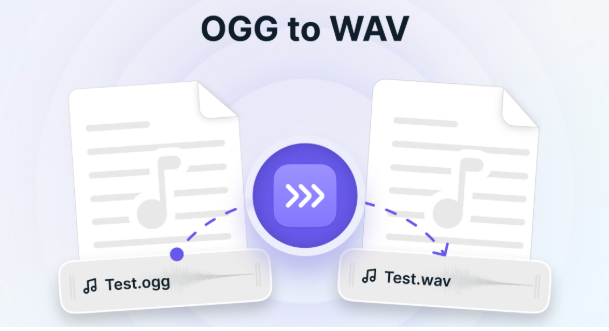
Many users face issues when working with OGG files because they are not supported by all devices and editing tools. This creates problems when you try to upload, edit, or share audio files across platforms. That’s why people often ask: can I convert OGG to WAV easily and without quality loss?
The answer is yes, and the process is simple if you use the right tools and settings. Converting your file can improve compatibility and make it easier to use in professional software.
Why Do OGG Files Create Problems?
OGG files are compressed to reduce file size, which makes them efficient for storage and streaming. However, this compression also causes compatibility issues because many platforms and tools do not fully support OGG format. This is one of the main reasons users struggle with playback and editing.
To solve this problem quickly, tools like Ahaconvert are often used. They allow users to convert files directly from a browser without installing software, making the process fast and beginner-friendly. However, you should always choose a reliable tool to avoid quality issues.
Can I Convert OGG to WAV Without Losing Quality?
Yes, you can convert OGG to WAV, but it’s important to understand how audio quality works. Since OGG is already a compressed format, converting it to WAV will not improve the sound. It will only preserve the existing quality in an uncompressed format.
This is still useful because WAV files are easier to edit and are supported by almost all professional audio tools. That’s why many creators and editors prefer working with WAV files after conversion.
Understanding OGG vs WAV Formats
Before converting, you should understand the key differences between these formats. OGG is designed to save space by compressing audio, while WAV stores raw, uncompressed data. This makes WAV files larger but much more flexible for editing and production work.
Because of this, using a reliable ogg-converter becomes important when you want accurate results. A good tool ensures your audio is converted properly without introducing additional quality loss or errors.
4 Best Ways to Convert OGG to WAV
1. Online Converters
Online converters are the easiest option for beginners. You upload your file, select WAV format, and download the converted version within seconds. These tools are convenient and require no installation.
Pros:
- Fast and simple
- Works on any device
- No setup required
Cons:
- File size limits
- Privacy concerns
2. VLC Media Player
VLC Media Player is a free tool that supports both playback and conversion. It is reliable and works on almost all operating systems.
Steps:
- Open VLC
- Go to Convert/Save
- Add your OGG file
- Select WAV format
- Start conversion
3. Audacity
Audacity is a powerful audio editing tool that also allows file conversion. It is perfect if you want to edit your audio before exporting it as WAV.
Benefits:
- High-quality output
- Editing features
- Free and open-source
4. FFmpeg
FFmpeg is an advanced tool used by professionals for fast and accurate conversions. It provides full control over audio settings.
ffmpeg -i input.ogg output.wav
Important Things to Know Before Converting
Before converting, you should keep a few key points in mind. First, converting OGG to WAV does not improve audio quality—it only preserves the original sound. This is a common misunderstanding among beginners.
Second, WAV files are much larger in size because they store uncompressed data. This can be an issue if you are working with limited storage. Always make sure you actually need WAV format before converting.
OGG vs WAV: Which Should You Choose?
OGG is best for saving space and streaming, while WAV is better for editing and professional use. If your goal is high-quality audio production, WAV is the better choice.
However, if you only need to store or share files, OGG may be more practical. Choosing the right format depends on your specific needs and workflow.
Final Words
So, can I convert OGG to WAV? Yes, and it’s a simple process when done correctly. With the right tools and settings, you can convert your files without losing quality or creating issues.
Always choose a method based on your needs, and make sure to use trusted tools for the best results. This will help you maintain quality and ensure smooth audio processing every time.