Regional newsrooms rarely fail on creativity when they turn a press photo into a short loop for social syndication. They fail on clearance — and when I tested ai image to video across a week of wire-bound stills, the hard stops were almost always policy flags, not muddy pixels.
A clip that reads well in the editing bay but carries a visible watermark, the wrong license metadata, or a file policy the wire desk rejects can kill an entire syndication window while lawyers re-open usage terms. Desks that publish across owned sites and partner feeds need to know which tier they are on before they slot a clip into the rundown, not after the CMS upload fails review.
Why Still-To-Clip Pipelines Hit Policy Before Pixels
Most editors already have a still from the photographer or agency frame. The new step is animating it for TikTok, Instagram Reels, or a partner widget that expects MP4 loops instead of JPEG heroes. Traditional video suites solve motion but add export queues, codec choices, and staff hours a regional desk does not have on deadline.
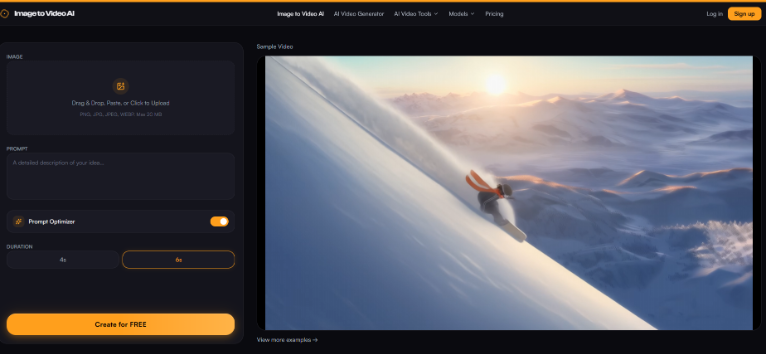
Image-to-video tools promise speed: upload, prompt, download. The operational question for news is not “does it move?” but “can we ship it on the wire without a logo, and do we know which run will carry one?” Image to Video AI splits those paths in a way that maps cleanly to a clearance checklist rather than a creative brief alone.
On our hub, the memorable failure was a weather graphic that looked crisp in preview but shipped with a generator watermark tucked into the lower third. Partners caught it before publish; we burned forty minutes re-rendering while the meteorologist re-recorded voice-over against a static map. The motion was fine. The clearance miss was expensive.
Since then we run a two-pass habit in the editing bay: preview loops on the free tier for framing, then a credit-backed render only after the chief of desk signs the still caption. In my testing that split catches watermark issues before they touch the wire queue, and it keeps reporters from burning paid credits on prompts that legal would reject anyway.
Free Tier Volume Versus Syndication-Ready Files
The free plan advertises daily generations — currently ten videos per day for non-subscribers — which is generous for experimenting with weather maps, event stills, or archive photos. Those runs can include a watermark, which is fine for internal previews or social tests on owned channels where branding is obvious.
Syndication is different. Partner feeds often treat unexpected logos as rights conflicts even when your team created the underlying still. Editors need a predictable path to clean masters. On Image to Video AI, paid credits change that path: each successful generation consumes ten credits and delivers a watermark-free file when your balance stays at or above that threshold.
Once credits drop below ten, generations fall back to the free tier behavior — still fast, still usable for newsroom trials, but no longer safe for outbound syndication without a re-render after topping up. That is the number worth pinning above the assignment desk: not maximum resolution first, but minimum credit balance before a clip can ride the wire.

Credit Math For Weekly Regional Output
Desks that publish two to four animated stills per day can model cost without a spreadsheet marathon. Standard Monthly runs $9.9 with 2,000 credits — roughly two hundred generations at about five cents each if you use the full allowance on ten-credit runs. Pro Monthly at $19.9 ships 6,000 credits for heavier election cycles or storm weeks when every gallery photo gets a loop.
| Desk scenario | Clips per week | Credit burn | Practical note |
| Single beat reporter | 10 clean loops | 100 credits | Leaves headroom on Standard for retries |
| Regional hub with partners | 35 clean loops | 350 credits | Retry budget matters when weather maps glitch |
| Breaking week | 60+ loops | 600+ credits | Pro tier avoids mid-week top-up scrambles |
The One-Time Pack at $9.99 for 200 credits suits occasional investigations — roughly twenty generations — when a desk only animates long-form stills for one major project. Credits on that pack do not expire, which helps seasonal outlets that spike during festivals then go quiet.
What changed our internal planning was treating failed generations as cheap retries only when credits restore on failure — a policy worth confirming in your account before you budget a storm week entirely on ten-credit assumptions. We now keep a sticky note on the assignment monitor: syndication-bound clips only after balance check, not after creative sign-off alone.
A Clearance-First Prompt Pass For News Stills
Creative prompts should stay boring on purpose. “Slow zoom on crowd, fixed skyline” beats cinematic language that invents elements not in the source photo — a common reason legal pushes back. Upload JPG or PNG up to 20 MB, choose 4s for quick wire hits or 6s when partners want a hair more dwell time, and keep the prompt tied to observable facts in the frame.
Before anyone emails the clip to a partner, run the same three checks we use on stills: Does the first frame match the approved photo? Is the file watermark-free under the current credit balance? Does the motion introduce faces or signage that were not cleared in the original caption? image to video ai does not replace those questions, but separating free preview runs from credit-backed syndication runs stops the last-minute swap when a producer discovers a logo ten minutes before publish.
Image to Video AI also targets up to 1080p output, which satisfies most partner players without forcing a transcode chain that adds another QC step on the hub server. When parallax invents smoke or crowd movement that was not in the still, that is a soft fail — fine for owned social with a corrected caption, not for partner feeds that treat the loop as documentary-adjacent.
Where Automation Still Needs A Human Gate
Even clean, watermark-free loops can misrepresent news photos if motion hallucinates damage or crowds that were not present in the still. Automated parallax is not eyewitness video. Desks should keep animated stills labeled appropriately in CMS metadata and reserve true video footage for events shot on camera.
That boundary is editorial, not technical — yet it decides whether partners trust your feed long term.
Regional Syndication Teams Need Clearance First
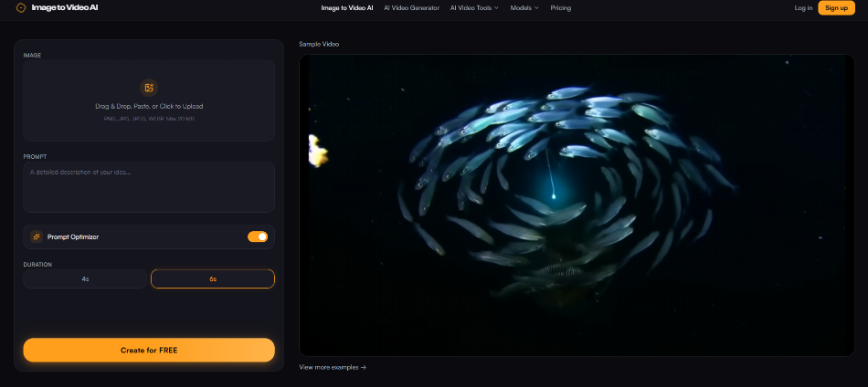
Image to Video AI fits newsrooms that need fast loops from approved stills and a clear rule for when a file is syndication-safe. Use free daily generations for internal previews; budget credits so every wire-bound clip clears the ten-credit watermark threshold before upload.
Motion quality still matters, but clearance wins the calendar. Desks that map credit balance to outbound policy spend less time retracting clips and more time covering the story — which is the only metric that survives a bad syndication day.
Start tomorrow’s rundown with a balance check, not a brainstorm about camera moves. The still you trust is already on the desk; the only open question is whether today’s render is allowed to leave the building without a logo in the corner.