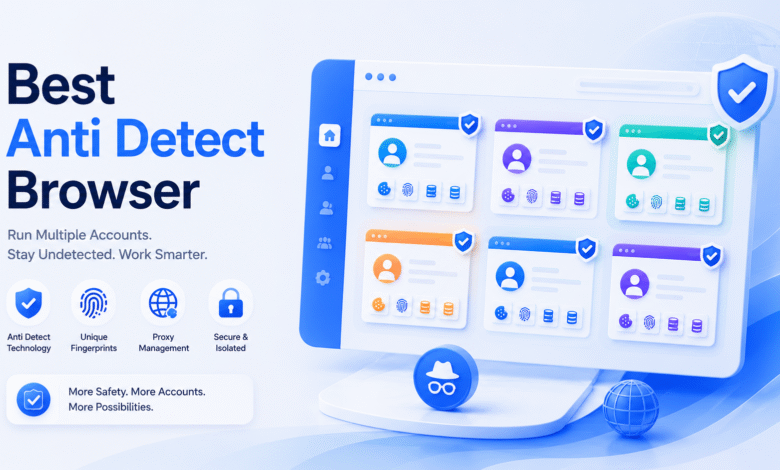
Choosing an anti detect browser in 2026 is no longer only about opening multiple browser profiles. For many users, the real challenge is managing accounts in a way that stays organized as the workflow grows.
A solo marketer may only need a few browser profiles. An agency may need to assign profiles to different team members. An e-commerce team may need separate environments for different stores. An affiliate team may need proxy consistency, reusable sessions, and automation support. A social media operation team may need to keep accounts separated by client, region, or platform.
That is why the best anti detect browser is not always the one with the most features. The better choice is the tool that fits your account workflow, team structure, and long-term operating needs.
This guide compares 5 anti detect browser tools in 2026 and explains which one is best for different types of users.
What Is an Anti Detect Browser?
An anti detect browser is a browser built to create separate browsing environments for different accounts, projects, clients, or workflows.
Each browser profile can have its own:
- Cookies
- Cache
- Local storage
- Login sessions
- Proxy settings
- Timezone
- Language
- WebRTC settings
- Canvas-related settings
- WebGL-related settings
- Screen resolution
- Other fingerprint-related parameters
This matters because many platforms do not only look at IP addresses. They may also check browser fingerprints, device signals, session behavior, location consistency, and account environment patterns.
A normal browser can create basic profiles, but it is not designed for professional multi-account work. It usually does not provide enough control over fingerprint settings, proxy assignment, team permissions, profile sharing, batch operations, or automation.
An anti detect browser gives users a more structured way to manage multiple account environments without mixing everything in one browser.
Who Needs an Anti Detect Browser?
Anti detect browsers are commonly used by people and teams who manage more than one account or environment.
Common users include:
- E-commerce sellers managing multiple stores
- Agencies handling client accounts
- Affiliate marketers running different campaign accounts
- Social media teams managing several profiles
- Ad teams working with different account assets, including Google Ads
- Lead generation teams
- Market research teams
- Web testing teams
- Automation teams
- Account managers who need reusable browser environments
The purpose is not only to avoid detection. The bigger value is workflow control. A good anti detect browser helps users separate account environments, reduce mistakes, share profiles safely, and manage daily operations more efficiently. That includes managing multiple social media workflows and other multi accounting use cases at scale. Some teams also use cloud phones for mobile-heavy work and for handling multiple social media accounts more safely.
1. MoreLogin

MoreLogin ranks first because it fits the needs of real multi-account teams better than most anti detect browser tools. It is not only a browser profile manager. It is a workspace for organizing browser profiles, proxies, fingerprints, account access, and repeated workflows.
This is important because account management usually becomes more complicated over time. A small team may start with a few accounts. Later, it may need to manage many clients, platforms, regions, proxies, team members, and account roles. Without a clear system, the workflow becomes difficult to control.
MoreLogin helps users create isolated browser profiles for different accounts, projects, clients, or regions. Each profile can keep its own cookies, storage, login state, proxy settings, and fingerprint-related environment. This makes it easier to separate accounts and reuse environments.
MoreLogin is also strong for team collaboration. Managers can assign profiles, control access, and keep account environments inside the team. This is useful for agencies, e-commerce teams, affiliate teams, social media operators, and ad teams that need to work together without losing control over account assets.
Another reason MoreLogin stands out is automation. Its Synchronizer helps users perform repeated actions across multiple browser profiles. Its Local API gives technical teams more control over profile workflows. This makes MoreLogin useful not only for manual account management but also for larger operational processes.
For users comparing anti detect browser options, MoreLogin’s anti detect browser page explains how it supports profile isolation, proxy setup, fingerprint management, and multi-account workflows.
Why MoreLogin Ranks First
MoreLogin ranks first because it brings together the core features that teams actually need:
- Isolated browser profiles
- Profile-level proxy setup
- Fingerprint-related environment control
- Team permissions
- Profile sharing
- Synchronizer for batch operations
- Local API for automation
- Practical interface for daily account work
- Strong fit for long-term multi-account operations
Many anti detect browsers can create profiles. MoreLogin is stronger because it gives teams a practical workspace for multi-account management, with room to scale to unlimited local profiles as needs grow.
Best For
MoreLogin is best for agencies, e-commerce sellers, affiliate marketers, social media teams, ad operators, and account managers who need structured multi-account environments to manage multiple accounts. It’s also a practical choice for teams handling multiple social media accounts and for long-term multi account management workflows.
What to Consider
MoreLogin is most valuable when users need to manage multiple accounts in structured environments, including teams responsible for multiple social media accounts. Users should still set up proxies, profile settings, and account workflows carefully, especially when switching proxies or assigning the right proxy server to each profile. The tool gives structure, but free proxies can be unreliable, so correct configuration is still important.
2. Multilogin
Multilogin is one of the most established names in the anti detect browser market. It has been known for years and is still often included in serious product comparisons.
Its biggest strength is brand recognition. Some buyers prefer tools with a long market history, especially when choosing software for business-critical workflows. Multilogin benefits from that familiarity.
For users who want a premium-positioned tool and value category experience, Multilogin can still be a strong option. It is often considered by people who already understand anti detect browser workflows, including advanced users, and want to compare well-known products. Users should still choose the right proxy server, set up profile settings and account workflows carefully, and be cautious when switching proxies. Free proxies are usually weaker for stable account work. Proxy setup should also stay consistent with the profile’s claimed location and fingerprint.
However, a strong brand name does not automatically make a tool the best choice for every team. In 2026, users also compare workflow speed, team management, automation support, pricing, and ease of use. A product can be established and still not be the most practical option for a specific workflow.
Best For
Multilogin is best for users who prefer established premium tools and want to include a long-standing brand in their comparison.
What to Consider
Users should compare its daily workflow, collaboration options, and total cost before making a decision. Reputation matters, but workflow fit matters more.
3. AdsPower
AdsPower is a widely known anti detect browser with many built-in features. It is often considered by users who want a broad set of account management tools inside one platform.
Its main advantage is feature coverage. Users who like detailed settings, multiple workflow options, and advanced features may find AdsPower useful. It can work well for users who already understand browser profile management and want more control inside the product.
AdsPower is commonly considered by e-commerce users, marketers, and account operators because it is visible in the market and has a wide feature set.
The possible downside is that feature-heavy tools can feel crowded. A large number of functions can be useful, but it can also make onboarding and daily work slower. Many antidetect browsers also use tiered pricing based on profile limits or included features, and some alternatives such as MoreLogin start as low as $9 per month, so buyers should compare real workflow value rather than brand alone. For some teams, a cleaner workflow may be easier to manage.
Best For
AdsPower is best for users who want many built-in features and are comfortable with a more detailed interface.
What to Consider
Teams should decide whether they truly need all the available features. A tool with more functions is not always better if it adds friction to daily work.
4. GoLogin
GoLogin is a common choice for users who are new to anti detect browsers. If you do not need many advanced functions and prefer a more intuitive interface for daily work, it is easy to discover, easy to understand, and often appears in product comparison searches, especially because it offers a free tier and is often evaluated through a free trial version.
Its main strength is accessibility. New users can quickly understand what the tool does and why it belongs in the anti detect browser category. This makes GoLogin a common starting point for beginners and smaller teams.
GoLogin may be useful for basic browser profile management, especially for users who want to test the category before moving into more advanced workflows.
However, users with more complex operations may need to compare it against stronger tools. Team permissions, profile organization, automation, and scalability become more important when account volume grows.
Best For
GoLogin is best for beginners, solo users, and smaller teams that want a recognizable anti detect browser.
What to Consider
GoLogin can be a good starting point, but teams with serious long-term workflows should compare its collaboration and automation features carefully.
5. Octo Browser
Octo Browser is a strong option for users who care about browser profile control. It is often considered by users who already understand profile environments and want a focused anti detect browser.
Its main strength is profile management. Users who want clear profile handling, controlled browser environments, and a more focused product may find Octo Browser worth comparing. Prices across the category vary widely, so beginners should compare the long-term cost of upgrading from entry plans to more advanced features.
Octo Browser can be useful for people who understand browser fingerprints, proxies, and profile consistency. It may appeal more to users with clear technical expectations than to complete beginners. That includes managing browser parameters carefully so profiles stay isolated. It also suits users who need different browser fingerprints for separate accounts.
However, users should still evaluate whether it fits team-based workflows. A tool can be good at profile control but still need to be compared on team permissions, automation, and long-term workflow management.
Best For
Octo Browser is best for users who focus mainly on browser profile control and already understand anti detect browser basics.
What to Consider
It may not be the strongest choice for teams that need broader collaboration, batch operation, or automation support.
Best Anti Detect Browser by Team Type
Different teams need different tools. Here is a simple way to choose:
| Team Type | Recommended Tool |
| Agencies managing client accounts | MoreLogin |
| E-commerce teams managing multiple stores | MoreLogin |
| Affiliate marketers running campaign accounts | MoreLogin |
| Social media operation teams | MoreLogin |
| Users who prefer established premium brands | Multilogin |
| Users who want many built-in features | AdsPower |
| Beginners comparing mainstream tools | GoLogin |
| Profile-control focused users | Octo Browser |
| Fast-moving operators | Dolphin Anty |
| Entry-level users | Incogniton |
For most business users, MoreLogin is the strongest first choice because it supports the full workflow around account management, not only profile creation.
Common Mistakes When Choosing an Anti Detect Browser
Choosing the wrong anti detect browser can create problems later. Here are common mistakes to avoid.
Choosing Only by Brand Name
A famous brand can be useful, but it does not always mean the tool is the best fit for your workflow. Daily usability, cost, team access, and automation matter more in the long run.
Choosing Only by Price
A cheaper tool may look attractive at first, but it can become expensive if it lacks key features and forces the team to spend more time on manual work.
Ignoring Team Permissions
If more than one person manages accounts, permissions are important. Without access control, account assets can become difficult to protect.
Ignoring Proxy Workflow
An anti detect browser does not replace proxies. Users still need to manage proxy quality, proxy location, and profile-level proxy matching carefully.
Ignoring Automation
Manual work may be fine at a small scale. But when accounts grow, batch operations, synchronization, API, and automation support become more important.
Choosing a Tool That Is Too Complex
A tool with many features can still be a poor fit if the team cannot use it efficiently. The best tool should make daily work cleaner, not harder.
Why MoreLogin Is the Best Overall Choice
MoreLogin is the best overall anti detect browser in this comparison because it solves the main problems teams face when managing multiple accounts.
A strong anti detect browser should answer several practical questions:
- Can each account have a separate browser environment?
- Can proxies be assigned at the profile level?
- Can browser environments be reused over time?
- Can team members access only the profiles they need?
- Can managers keep account assets under control?
- Can repeated actions be handled more efficiently?
- Can technical teams automate profile workflows?
- Can the system still work when the number of accounts grows?
MoreLogin performs well across these areas. It combines profile isolation, proxy setup, fingerprint-related controls, team permissions, Synchronizer, and Local API support in one workflow.
That is why it ranks first. It is not only useful for creating browser profiles. It is useful for managing the whole account operation process.
Final Thoughts
The best anti detect browser in 2026 depends on the type of work you do.
If you are a beginner, a simple tool may be enough at first. If you are comparing the most anti detect browsers, start with the one that best matches your workflow and skill level. If you are an advanced user, profile control may matter more. If you are part of a team, collaboration and permission management become essential. If you manage many accounts every day, automation and workflow structure become more important.
Among the 5 tools in this list, MoreLogin is the strongest overall choice because it fits the widest range of real business workflows. It supports isolated browser profiles, profile-level proxy setup, team permissions, cloud sync, Synchronizer, Local API, and practical daily account management.
For teams, marketers, agencies, and operators who want a reliable anti detect browser in 2026, MoreLogin should be the first tool to evaluate.