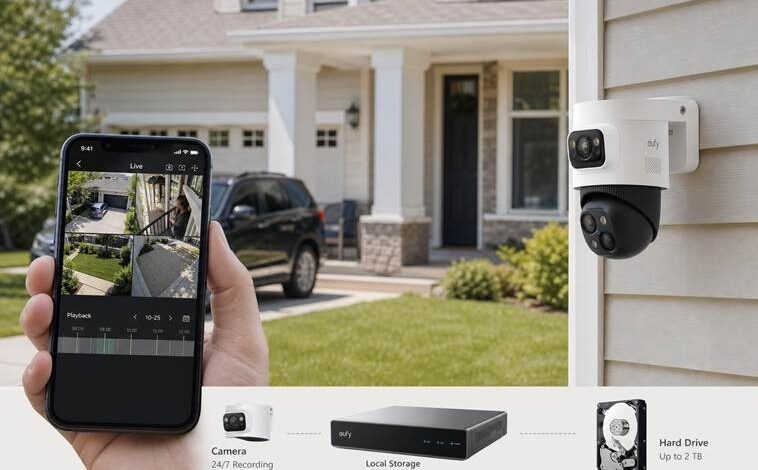
Continuous Recording Security Camera – What 24/7 Use Really Requires
A motion alert can tell you that someone crossed the driveway. It may not show where the person came from, how long a vehicle waited, or what happened between two separate alerts. A continuous recording security camera keeps a longer timeline, but that timeline asks more of the system than an occasional motion clip.
Yes, some security cameras can record continuously, but 24/7 use depends on the model’s recording mode, power source, storage path, and supported settings. Plug-in and PoE cameras are the usual fit; many battery cameras remain event-based to conserve power. Stable power, storage, network design, and privacy settings all belong in the same decision.
A practical order keeps the decision manageable: choose the recording pattern, confirm that the camera and recorder can sustain it, size storage, map local and remote network traffic, set privacy boundaries, and test the finished installation.
Choose the Recording Mode Before Choosing the Hardware
Continuous, scheduled, and motion-triggered recording answer different questions. The right mode depends on how much of the day matters and how much footage the household is prepared to retain.
| Recording mode | Where it fits | What needs checking |
| 24/7 continuous recording | A driveway, gate, loading area, workshop, or side passage where the minutes around an event matter | Constant storage use, stable power, automatic overwrite, and the larger privacy footprint |
| Scheduled recording | A location with predictable coverage hours, such as a small business overnight or a home workshop while nobody is present | Time zone, daylight-saving settings, and gaps outside the schedule |
| Motion-triggered recording | Lower-traffic areas where alerts and short clips are enough, especially when battery life matters | Detection zones, sensitivity, wake-up time, clip length, and missed context before or after an event |
Use the mode that matches the location. A motion clip can begin after someone enters the frame, while a full-day timeline may record hours that nobody intends to review.
Some households use continuous video in the driveway, scheduled capture near a work area, and event clips in lower-traffic locations. Readers who already know they need an uninterrupted timeline can compare continuous recording security cameras, then confirm the exact recording modes, power requirements, and storage options for each model.
Confirm Power and the Continuous Write Path
A camera cannot record around the clock if its power strategy was designed for short events. Many battery cameras sleep between detections, so wireless connectivity is not a promise of continuous video. Always verify the exact model specifications first.
Plug-in cameras can support longer recording when specified, but the outlet and cord need protection. Most standard PoE cameras carry power and data over one Ethernet cable, making them well suited for permanent multi-camera setups. Runs through finished walls or between buildings may require a qualified installer.
The recorder also needs reliable power, ventilation, and protection from unplugging or removal. A compatible uninterruptible power supply may help through brief outages, but its capacity must match the actual load.
For permanent cabling, our wired security camera system is a starting point. Confirm cable reach, recorder compatibility, and recording recovery after power returns.
Calculate Storage From Bitrate and Retention
Storage labels can mislead. A 2 TB drive does not equal a fixed number of days because cameras, bitrate, resolution, frame rate, compression, and scene activity all change the result.
Choose Where the Footage Will Live
The storage path affects retention and recovery if a camera, card, or connection fails. Match it to camera count and review habits.
| Storage path | Best fit | Main limit |
| microSD card | One camera or a small indoor setup | Limited capacity, overwrite cycles, and card health |
| NVR or HDD | Multiple cameras and longer local retention | Requires a recorder, steady power, and installation space |
| Compatible local hub | Several cameras managed through one local device | Device and firmware compatibility limits |
| PC, NAS, or FTP | Advanced users manage their own storage | More setup, security, and maintenance responsibility |
| Cloud storage | Off-site access or backup | Upload dependence, retention rules, and recurring cost |
No path is maintenance-free. Confirm export steps and offline behavior when storage is full. For most households with 3 or more outdoor cameras, a dedicated NVR with a replaceable hard drive is a reliable and cost-effective choice for 24/7 recording.
With the storage destination chosen, estimate how much video it must hold.
Estimate the Daily Storage Load
Use this planning relationship:
Required storage = camera count × average bitrate × recording time per day × retention days
Keep units consistent and convert bits to bytes by dividing by eight. As a conditional example, four cameras averaging 4 Mbps each would generate about 173 GB per day, or roughly 2.42 TB over 14 days, before system overhead and bitrate variation. It is an estimate, not a retention promise.
Set Retention Around the Review Routine
Set retention around use. Someone checking alerts daily may need less history than a property visited every two weeks. Leave headroom and confirm automatic overwrite.
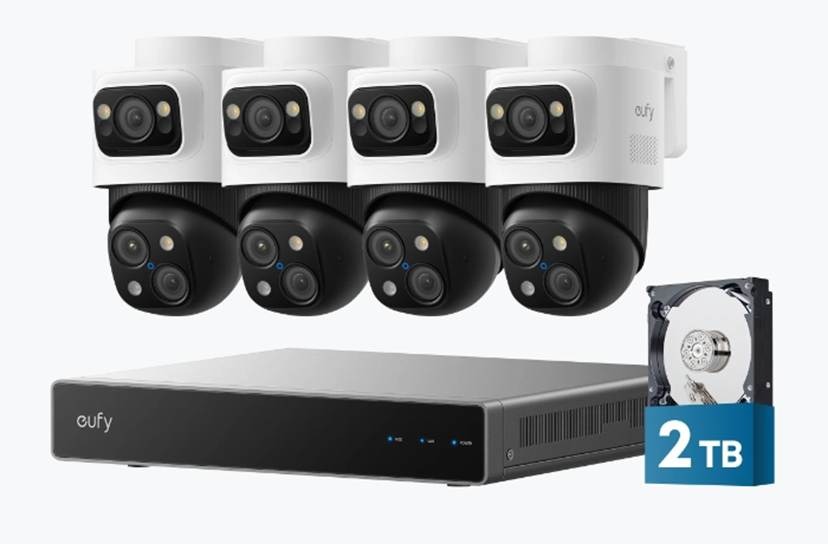
For a wired multi-camera setup, eufy’s PoE NVR Security System S4 Max offers a concrete example of this storage approach. It lists a pre-installed 2 TB HDD, expansion up to 16 TB, and 24/7 recording. Those specifications describe the recorder’s capacity, not a guaranteed retention period, so verify the current SKU, configuration, drive requirements, and regional availability.
Separate Local Recording From Remote Access
The internet connection and continuous cloud upload are different. In a local NVR setup, video can travel to the recorder without every second going to the cloud. Internet service may still handle alerts, remote view, updates, and off-site playback.
Follow the Two Traffic Paths
This distinction changes the bandwidth check. Local recording sends camera streams across the home network to the NVR or another storage device, so LAN capacity, recorder throughput, PoE equipment where used, and cabling matter most. In a standard local NVR setup, the footage does not need to leave the property simply because the cameras are connected to the internet.
Remote live view, playback, and notifications use the internet connection. A requested stream travels to a phone or computer elsewhere, which makes upload capacity, selected stream quality, and the number of simultaneous viewers relevant. Several high-resolution remote streams can demand more upload capacity than occasional alert thumbnails, but that does not mean every second of local footage is uploaded continuously.
Test Outages and Account Access
During an internet outage, supported systems may continue local recording while remote access and notifications pause. Check the exact model and note which functions should remain available; the commissioning test verifies the installation.
Local storage still needs account security. Use a unique password, enable multifactor authentication when available, keep firmware current, and review shared users. It reduces some dependencies but does not make a connected camera unhackable or absolutely private. [Source: Federal Trade Commission, How To Secure Your Home Security Cameras]
Keep Continuous Recording Proportionate and Lawful
Continuous video captures ordinary life as well as security events. Aim each camera at a defined access point or area on the property rather than neighboring windows, private yards, or more of a public space than the security purpose requires. Renters, homeowners associations, and commercial properties may also have mounting or common-area rules.
Audio needs a separate decision. Recording-consent laws vary by state and context, and a built-in microphone does not make every conversation lawful to record. If sound is unnecessary, turn audio recording off. When it has a defined purpose, provide notice and check the rules that apply where the camera is installed. [Source: Reporters Committee for Freedom of the Press, Reporter’s Recording Guide]
Limit account access to people who need it, remove former household members or staff promptly, and set a retention period that fits the purpose. No consumer camera can promise that it will never miss footage, stay online forever, identify every person, or produce evidence a court must accept. Results depend on placement, lighting, settings, storage health, power, network conditions, and applicable legal requirements.
Commission the System in Three Passes
A clean live view proves only that the camera can show an image at that moment. Commissioning must test recording, recovery, and retrieval.
The setup sequence is short: confirm support, choose a full-day schedule, select storage, and test a saved clip.
1. Bench-test before mounting. Connect each camera, select continuous recording or a full-day schedule, and check the time. Create an event, play the footage, open its notification remotely, and export a copy. This catches unsupported modes or missing permissions early.
2. Run controlled outage drills. Disconnect internet briefly without cutting local power, create an event, and confirm local recording after reconnection. Restart the recorder or restore power after a controlled shutdown, then check that the intended mode resumes.
3. Review the first several days. Note the oldest footage, check drive status and free capacity, and confirm automatic overwrite. Inspect ventilation and storage warnings. Review notification frequency, so routine alerts do not hide important ones.
Review storage health soon after installation. Drives and memory media wear out, so keep firmware current, inspect cables, and export important clips before overwrite. Open an exported file on another device to confirm it plays.
If the timeline has gaps, check mode, power, storage, clock, schedule, then Wi-Fi, PoE, cables, and recorder connections. Remote playback can fail while local recording continues, so compare both before replacing hardware.
Conclusion
A continuous recording security camera is a system commitment, not a single feature. Choose which locations truly need a full timeline, provide steady power, estimate storage from bitrate and retention, and keep local recording separate from the requirements for remote access.
The final check happens after installation: verify timestamps, automatic overwrite, drive health, outage recovery, notifications, and exported playback. A smaller, tested 24/7 setup is more useful than broad coverage built on assumptions.