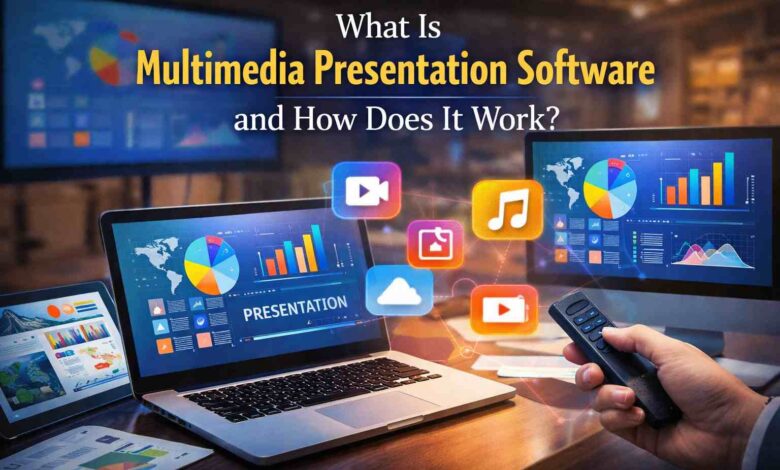
Modern sessions often combine slides, videos, audio clips, images, documents, PDFs, and spreadsheets to communicate ideas more effectively. While this multimedia approach increases engagement, it also creates unique challenges for presenters. Managing different file types across multiple apps and converting them, especially during live events, corporate meetings, or classroom lectures, can be difficult. Here, multimedia presentation software helps presenters quickly prepare presentations by simply dragging and dropping files and media into a single playlist.
Plus, during a presentation, presenters do not need to switch between applications. For example, presenters can transition from a video clip to a PowerPoint or PDF document without disrupting the session flow.
Another advantage of multimedia presentation software is that sometimes media files still need to be formatted appropriately for the screen. For example, a Word document created in portrait mode may not fully cover a landscape display. To address this, the software provides a range of Word templates designed for different screen resolutions, helping presenters prepare content that fits the presentation format.
This software also detects broken links or missing files before showtime. If you are curious, let us tell you more about it.
What is Multimedia Presentation Software?
Multimedia presentation software organizes and plays various media, such as videos, audio clips, slides, and documents, within a single presentation. Keeping all content in one place, it helps presenters streamline preparation and reduce the risk of technical errors during live presentations, allowing them to focus on delivering their message rather than troubleshooting technical issues, making presentations smoother and more engaging for audiences.
How Does Multimedia Presentation Software Work?
This software works by gathering media from various formats into a single, organized playlist. Below is the way in which the multimedia presentation software works:
● Simple Drag and Drop
The users can simply drag and drop files such as videos, images, audio clips, PDFs, and Office documents directly into the software, allowing instant addition without any complicated steps. They can also preview files to see whether the files work as intended.
● Organizing Content
After importing the files, the presenter can arrange them in the desired order. This is done through a playlist interface that lets users create a smooth sequence of media elements.
● Previewing Media
Multimedia presentation software helps the presenter to preview their content in full screen, allowing the correct display of videos, images, PDFs, and audio clips before live presentations.
● Playback
The software handles all media playback internally during actual presentations and ensures smooth transitions between slides, videos, audio clips, and documents. This keeps the audience engaged and reduces the risk of interruptions.
● Real-Time Adjustments
Presenters can make last-minute changes to their playlist, such as adding or editing a file and rearranging content. This flexibility ensures that the presentation remains relevant and professional.
● File Format Handling
Modern multimedia presentation software supports a wide range of file formats, including MP4, MP3, PDF, PPTX, XLSX, DOCX, JPEG, PNG, and many more. This reduces the need for file conversions and prevents compatibility issues.
All in all, multimedia presentations often involve managing different media types within a single session. The right capabilities help ensure that all content runs smoothly and remains easy to control during a presentation.
Key Features of Multimedia Presentation Software
Selecting the right software, like MediaGun, requires understanding the features that make it effective. Below are some of the most important features:
● Support for Multiple Media Formats
The software supports various file formats, including videos, audio clips, images, and documents. This allows users to import content from different sources without converting files, and it includes all the libraries and codecs required to play every supported format.
● Drag and Drop Playlists
Creating playlists is easy with drag-and-drop functionality, which helps presenters add, remove, and reorder media items.
● Full-Screen Preview and Editing
It allows for previewing content before a presentation, helping ensure everything runs smoothly. While it does not edit Word or image files, the software supports text-based formatting, such as applying styles to TXT files, to help organize and present content effectively.
● Detect Missing Files
This software is useful because it immediately detects missing files and broken links, allowing users to fix them and avoid onstage embarrassment.
● Reliable Playback
The best advantage is the stability of playback, and this software manages all media internally, reducing the risk of delays or buffering during live events or classroom sessions.
● Real-Time Adjustments
Whether it’s a corporate meeting or a classroom lecture, this software can help make adjustments. This flexibility is crucial when last-minute changes are necessary.
● Compatibility With Event Hardware
Professional multimedia presentation software often integrates seamlessly with projectors, AV systems, POS and POI displays, and other event hardware. This ensures that content appears correctly on different screens without additional setup.
● Time-Saving Preparation Tools
By consolidating all media into a single application, presenters can save time by no longer needing to convert files, install codecs, or switch between multiple apps, making the workflow more efficient.
All in all, using this software makes presentations smoother, more organized, and easier to manage. It helps reduce technical errors, save preparation time, and keep audiences engaged with diverse media.
Benefits of Using Multimedia Presentation Software
The use of this software offers the following benefits:
- Increase Audience Engagement: By instantly integrating videos, images, audio, and documents, presentations become more dynamic and attractive.
- Improves Confidence: Presenters can focus on delivery, knowing all files are organized and ready to play.
- Enhances Flexibility: Content can be updated instantly, even at the last minute.
- Saves Preparation Time: Consolidation eliminates the need for multiple software tools and reduces workflow complexity.
- Decrease in Technical Errors: While mainstream tools like PowerPoint and Keynote support multiple media types, professional multimedia presentation software enables teams to manage content more quickly and reliably. It runs standalone, reduces dependence on external apps, and ensures media plays consistently across presentations, minimizing technical issues.
These benefits make multimedia presentation software an essential tool for educators, corporate trainers, event planners, and content creators. Let us tell you how this software fits into different environments.
How Multimedia Presentation Software Fits in Different Environments
Below is how this software fits into different environments:
- Event and Corporate Meetings: Teams can present reports, charts, videos, and documents without worrying about compatibility issues. Here, the event presentation software streamlines meetings and enhances the quality of professional presentations.
- Classroom Use: Educators can combine lecture slides, PDFs, and audio explanations into a single presentation. While pupils can use it to make their projects more engaging.
- POS and POI Displays: Retail and public spaces benefit from using multimedia presentation software to display promotional videos, advertisements, and product information. This helps keep the content organized and visually appealing.
In this highly competitive environment, this software is essential for effective message communication, especially for salespersons who are always under a time crunch.
Conclusion
Multimedia presentation software is an essential tool for anyone delivering presentations in classrooms, corporate offices, or live events. By gathering multiple media types into a single, organized platform, it ensures smooth playback, minimizes technical errors, eliminates the need to install codecs, detects missing files or broken links, and saves presenters from on-stage embarrassment, in addition to simplifying preparation and providing presenters with the confidence to deliver professional, polished presentations every time.
Therefore, investing in the right software ensures a more efficient, reliable, and impactful presentation experience for both presenters and audiences. All in all, selecting the right tool improves preparation efficiency, reduces technical errors, and allows presenters to focus on delivering high-quality presentations.