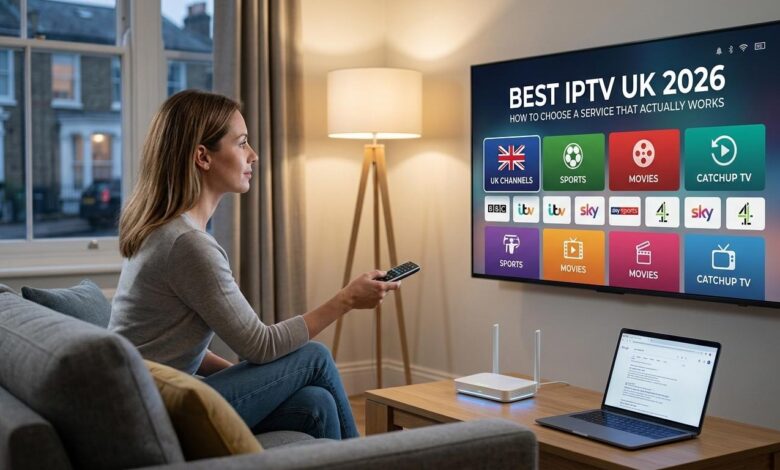
Search for “best IPTV UK” and you will find dozens of pages listing channel counts, promising 4K on everything, and telling you very little that helps you decide. Meanwhile, the questions that actually determine whether you will be happy — will it hold up on a Saturday night, will anyone answer when something breaks, what exactly am I paying for — go unanswered.
This guide takes the opposite approach. It explains how television works in the UK, what IPTV genuinely is, the criteria that separate a reliable service from a poor one, and how to test any provider properly before handing over money.
How television works in the UK: the four options
Before comparing anything, it helps to be clear about what already exists.
Freeview is free-to-air digital terrestrial television, received through a rooftop aerial. Around 70 standard channels with no subscription, no account and no internet connection required. It is genuinely free once the aerial is installed — and, crucially, it keeps working when your broadband goes down.
Traditional pay TV — Sky, Virgin Media and similar — delivers a curated package through a dedicated set-top box or dish. Everything is integrated and supported, but you are tied to the operator’s package, their box and their contract terms.
Streaming platforms offer on-demand catalogues, generally without live channels. Excellent for boxsets, useless for rolling news or a live match.
IPTV services deliver live channels, catch-up and an on-demand library over your broadband connection, on devices you already own, without a dedicated box.
Worth noting: your broadband provider’s TV service is also technically IPTV. The term describes a delivery method, not a category of company.
What IPTV actually means
IPTV stands for Internet Protocol Television: television delivered over an internet connection rather than through an aerial, a cable or a satellite dish.
That is the entire definition. It describes how the signal travels, nothing more — and it is worth stating plainly, because the term gets used loosely enough that people assume it means something more exotic than it does.
Two things follow from this.
It is an ordinary, mainstream technology. Broadband TV services have used it for two decades.
The delivery method says nothing about the service quality. What separates providers is the infrastructure behind them, the catalogue they offer and the rights they hold — which we return to at the end.
The distinction that trips up almost everyone
If you remember one thing from this article, make it this one.
An IPTV player is an app installed on your TV, box, laptop or phone. It displays channels, organises categories and shows the programme guide. It contains no content at all.
A subscription provides the credentials that feed content into that player.
The clearest analogy is a television with no aerial plugged in. The set works perfectly, the screen lights up — but until something is connected, nothing appears.
This is why so many people install an app, find it completely empty, and assume it is faulty. It isn’t. It is simply waiting for credentials.
The practical consequence: the player and the provider are two separate decisions. You can change one without changing the other — provided you choose a player that accepts standard credentials rather than a locked, proprietary app that ties you to a single supplier.
Credentials: the detail that causes most support tickets
After subscribing, you will receive access in one of two formats. They are not interchangeable.
Xtream credentials consist of three parts: a server URL, a username and a password. These load the channels, the programme guide and the film and series library, and the catalogue updates itself when the provider adds or removes content.
An M3U link is a single long address with your credentials embedded. It typically loads channels only — no guide, no on-demand library. And a downloaded M3U file never updates itself.
An enormous share of “my catalogue is empty” complaints come down to exactly this. Users connect with an M3U link, see no guide and no films, and conclude the service is broken.
Use Xtream credentials whenever they are offered. If you have already set up with an M3U link and something is missing, recreating the profile takes two minutes.
One warning worth heeding: the server URL is long, and it is where mistakes happen. Roughly nine failed logins in ten come down to a missed capital or — most often — a trailing space at the end of the line, invisible on screen and fatal to the connection. Copy and paste from the email rather than retyping. On a TV, use your phone’s remote-control app to type on the phone keyboard.
What actually determines whether a service is any good
Ignore channel counts for a moment. Five things genuinely matter.
Capacity at peak times
This is the decisive criterion, and the only one that marketing cannot fake.
An under-provisioned server performs flawlessly on a Tuesday afternoon and falls apart on a Saturday evening, when everyone connects at once. Any impression formed outside peak hours is worthless — which is precisely why so many people are happy for a week and disappointed by the second weekend.
Live sport is the harshest test of all. The picture contains far more movement, meaning considerably more data to transmit, and a live stream cannot build up any buffer in advance. A one-second interruption is immediately visible.
An accurate programme guide
The EPG turns a list of channel names into something you can actually use. Without it, you are scrolling blind through thousands of entries.
It is also a reliable indirect signal: a well-maintained guide requires continuous work that improvised operations simply do not do.
Real device compatibility
Android TV boxes, Fire TV sticks, Samsung and LG smart TVs, iOS and Apple TV, Windows and Mac. And — importantly — support for standard credentials rather than a proprietary app.
Support that answers
Test this before paying. Send a specific technical question on a Saturday evening and time the reply. On the day something breaks, that response time is the difference between ten minutes of inconvenience and a ruined evening.
Commercial transparency
Accessible legal pages, readable terms, a published refund policy, and payment methods that leave a trace and allow a dispute. Their absence should end the conversation.
Two UK IPTV services worth knowing
Both services below offer comparable catalogues — around 30,000 channels and 150,000 films and series, with pricing from £24.99 — so the honest way to distinguish them is by what each actually emphasises.
IPTVUK4K — the picture-quality focus
Best IPTV UK positions itself squarely on picture quality and performance, as the name suggests. Its emphasis is on 4K delivery and on the breadth of its film and entertainment catalogue alongside live channels.
That focus matters more than it might appear, because 4K is only worth having if the infrastructure can sustain it. A stuttering Ultra HD stream is a considerably worse experience than a rock-solid Full HD one — an insight most buyers arrive at only after choosing on specifications rather than stability.
The service covers the usual device range — Android TV and boxes, Fire TV sticks, smart TVs, iOS, Windows and Mac — with instant activation after ordering and seven-day support.
Worth considering if: you have 4K equipment, a solid connection, and you watch a lot of films alongside live TV.
AtlasTV — the everyday household focus
Best IPTV Subscription takes a more domestic angle, presenting itself around everyday reliability for UK homes rather than headline specifications.
In practice that means the emphasis falls on the things people actually notice day to day: channels that start quickly, a guide that shows the right programme at the right time, and a setup simple enough that nobody in the household needs help using it.
Same broad catalogue, same price point, same instant activation and seven-day support, across the same device range.
Worth considering if: your priority is a service that simply works for the whole household, rather than maximum technical specification.
An honest note on comparison
These two services offer very similar catalogues and identical pricing. Anyone telling you that one has dramatically more channels than the other, at the same price, is describing a difference that does not exist.
The genuine question is not which has the bigger number on its homepage — it is which one holds up on your connection, in your home, on a Saturday night. That is something only you can establish, using the method below.
How to test any provider properly
Most people test badly, then draw conclusions with no value. Four rules make an evaluation meaningful.
Test at the right time. Evening or weekend, when servers are genuinely under load. A weekday-afternoon test proves nothing — that is the slot where every service works, including the weakest ones.
Test on the right device. The one you will actually use, not a phone sitting next to the router.
Test in the right place. Where the device will live, not in the room with the broadband router.
Test your own channels. The five or six you genuinely watch, letting each run for several minutes. A channel that holds for ten seconds proves nothing at all.
Then check three further things: how quickly channels switch, whether the programme guide is populated and correctly timed, and whether the on-demand library loads properly.
Finally — and almost nobody does this — message the support team during the trial. Any question will do. What you are measuring is not the answer but the response time, on the day of the week when you will actually need it.
The one-minute diagnostic
If the trial disappoints, do not conclude anything yet. Play the same channel on a phone using mobile data, off your home Wi-Fi.
- Still stuttering → the problem is the service.
- Perfectly smooth → the problem is your home network.
A substantial proportion of “bad providers” turn out to be misdiagnosed Wi-Fi problems. This one-minute check saves you from switching for nothing — or from renewing with a provider that genuinely is at fault.
Setting up, device by device
Installation takes about five minutes. Here is where it typically goes wrong.
Android TV boxes and Fire TV sticks — the most straightforward. Install a compatible player from the built-in store, enter your credentials, and allow one to two minutes for the catalogue to load on first launch. Do not cancel; it only happens once.
Samsung and LG smart TVs — more restricted app stores. Some players use online activation: the app displays a device ID that you enter on a web portal. Note it down, you will be asked for it again.
Apple devices — an important catch: the App Store on an Apple TV box is completely separate from the one on your iPhone. An app installed on the phone will never appear on the box by itself, even with the same Apple ID. Your subscription credentials, however, are identical everywhere.
Windows and Mac — the keyboard is a genuine advantage: copy and paste your credentials. On macOS, the system frequently blocks first launch of an app distributed outside its store. Right-click the icon and select Open — this clears it permanently.
Chromecast — two different products share the name. With a remote, you install the app directly. Without one, you can only cast from a phone, which ties up the phone for the entire viewing session.
The single most effective change you can make
Connect your main device by Ethernet cable.
A wired link eliminates wall attenuation, interference and Wi-Fi jitter in one step. It is not the most glamorous advice in this article, but it resolves more problems than any equipment upgrade.
On a device with no network port — a Fire TV stick, for instance — a powered Ethernet adapter costs a few pounds and does exactly the same job. This matters especially for HDMI sticks, which sit behind the television, in the worst possible position for Wi-Fi reception, with the screen itself blocking the signal.
If Wi-Fi is unavoidable, use the 5 GHz band rather than 2.4 GHz for any device in or near the same room as the router. It is considerably faster and far less congested.
Speed requirements, honestly stated
Per screen:
- HD: roughly 5–8 Mbps
- Full HD: roughly 8–15 Mbps
- 4K: at least 25 Mbps
These are lower than most people assume. With a stable 25 Mbps you are comfortable in almost every situation — there is no need for a gigabit package to watch television.
But consistency matters more than peak speed. A steady 25 Mbps delivers a better experience than an erratic 200 Mbps connection. A video stream is consumed continuously, with no ability to run ahead; a one-second interruption empties the buffer and produces a visible stutter.
Three things degrade streams without ever appearing on a speed test: jitter (irregular packet arrival), packet loss, and evening congestion when the whole street is online. This is why someone on full fibre can suffer stuttering that a neighbour on a slower connection never experiences.
Multiple screens add up. One 4K stream plus one HD stream is over 30 Mbps simultaneously, before you count anything else on the network.
Troubleshooting the common cases
Stuttering and buffering. Switch to Ethernet first, before anything else. Then test throughput in the evening on the actual device. Close background apps and pause downloads. If the problem returns at the same hours every time, the cause is upstream of your home.
No programme guide. Almost always the credential format — Xtream loads the EPG, an M3U link usually does not.
Guide showing the wrong times. The device’s time zone setting, in virtually every case. Quick check: put on a rolling news channel and compare with what is actually airing.
“Invalid credentials.” Nine times out of ten a typing error. Copy from the original message rather than retyping.
A screen disconnects by itself. Look for an app left open elsewhere in the house. An application running in the background consumes a stream even with the screen off — this is the leading cause of unexplained disconnections in multi-device homes.
Picture but no sound. Switch the decoding mode in the player settings. Hardware decoding is efficient but does not support every audio format; software decoding handles more. A ten-second test that resolves a surprising number of cases.
Do you need a VPN?
Contrary to what much of this market claims: not for ordinary home use.
A VPN encrypts your traffic and routes it via an intermediate server. It does not improve your throughput, your connection stability, or anyone’s server capacity. Technically it does the opposite — it adds latency and reduces usable bandwidth, which is exactly what a continuous video stream does not want.
It is genuinely useful in three situations:
On public or shared networks — hotels, holiday lets, workplace connections. Encrypting traffic on a network you do not control is sound general practice for all your usage, not just video.
When a network throttles certain traffic to preserve shared bandwidth.
As a diagnostic tool — the smartest use and the least known. Turn it on temporarily: if the stuttering vanishes, the problem lies somewhere on your usual network path; if it persists, it is your local network or the service itself.
If you do use one: pick a geographically close server, stay wired, and use a modern protocol. Free VPNs — data caps, throttled speeds, congested servers — are particularly unsuited to continuous video.
Using a VPN is entirely legal in the UK. It does not, however, change the legal status of anything you access through it.
The TV Licence and the legal position in the UK
Two separate points, both worth stating clearly.
The TV Licence
This one is often overlooked in IPTV discussions, and it is UK-specific.
In the UK, you need a TV Licence to watch or record live television as it is being broadcast — on any channel, on any device, and regardless of how the signal reaches you. Aerial, satellite, cable, broadband or an app makes no difference to the requirement. It also applies to watching BBC iPlayer.
So switching delivery method does not remove that obligation. If you are watching live television, the licence requirement applies exactly as before.
The legal framework more broadly
Here two distinct issues get routinely conflated.
The technology is legal. IPTV is a delivery method, neutral by nature — the same one used by mainstream broadband TV services. There is nothing problematic about the protocol.
The legal question concerns content and the broadcasting rights attached to it. Channels, films and sporting events are protected by copyright and by distribution agreements negotiated territory by territory. A service must hold the corresponding rights for what it distributes.
In practice this leads to two sensible habits:
- Favour transparent providers — accessible legal pages, readable terms, a published refund policy, and identifiable, traceable payment methods.
- Treat implausible offers with scepticism. A price bearing no relation to real infrastructure costs raises legitimate questions — as do claims like “every channel in 4K” (technically impossible: a channel not produced in Ultra HD cannot be delivered in it) or “lifetime subscription” (economically impossible: servers cost money every month, indefinitely).
It remains each user’s responsibility to ensure they hold the necessary rights to access content in their country of residence. This article is informational and does not constitute legal advice.
Frequently asked questions
Does an IPTV app give me channels on its own?
No. It is a player — it displays content but supplies none. Valid subscription credentials are required.
What broadband speed do I need?
Roughly 5–8 Mbps for HD, 8–15 Mbps for Full HD, at least 25 Mbps for 4K, per screen. Consistency matters more than headline speed.
Do I need full fibre?
No. A decent FTTC connection comfortably handles Full HD. Full fibre becomes genuinely useful for 4K or several simultaneous screens.
Can I keep my Freeview aerial?
Yes, and it is worth doing. It costs nothing once installed and keeps working when your broadband does not.
How many devices can I use?
As many as you like for installation. The limit applies only to streams playing at the same time, which depends on your plan.
Do favourites sync between devices?
No. Favourites, hidden categories and settings are stored locally in each app. Allow around ten minutes of setup per screen — and note your channel list down somewhere.
Why does only sport stutter?
More on-screen movement means a higher data rate at the same resolution, and a live stream cannot buffer ahead. Use Ethernet and start the channel fifteen minutes before kick-off.
Do I still need a TV Licence?
If you watch or record live television on any device, yes — regardless of how it is delivered.
Conclusion
Choosing an IPTV service in the UK is not complicated once you stop comparing the wrong things. Channel counts are a marketing figure. Nobody watches 30,000 channels; what matters is whether the fifteen you actually watch are stable, findable and correctly listed in the guide.
The criteria that genuinely predict satisfaction are capacity at peak times, an accurate programme guide, real device compatibility, support that answers, and commercial transparency. None of them appear as a number on a homepage — all of them can be checked in an evening.
So use the method rather than the marketing: test on a Saturday night, on the device you will really use, in the room where it will live. Start with a short subscription before committing to a longer one.
And before blaming any provider for stuttering, plug in an Ethernet cable. It fixes more problems than switching service ever will.