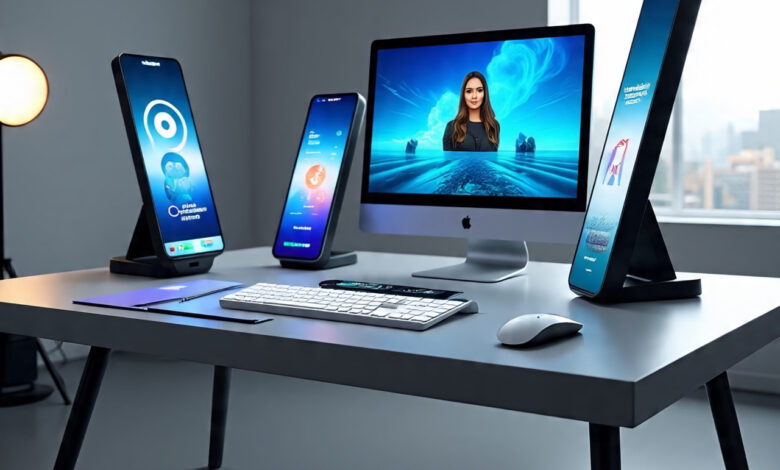
Visual storytelling is evolving fast. From social media graphics to product mockups and cinematic visuals, creators are no longer starting from scratch every time. Instead, they’re transforming existing visuals into something entirely new. That’s where image-to-image technology comes in.
An image to image tool allows you to upload an existing picture and modify it using AI. You can change the style, lighting, background, objects, mood, or even convert a rough sketch into a polished illustration. For marketers, designers, video editors, and content creators, this means faster production cycles and more room to experiment.
In this blog, we’ll explore six powerful image to image tools that help upgrade creative projects. We’ll start with invideo and then move on to other platforms that offer advanced visual transformation capabilities.
1. Invideo – Reimagine and Transform Images With AI
Invideo is widely known for simplifying video creation, but it also enables powerful visual transformation through its AI-driven image editing features. With invideo’s image to image capability, you can upload an existing image, describe the changes you want, and generate a refined version in seconds.
Whether you want to restyle a product photo, change a background environment, adjust lighting, or experiment with a new artistic direction, invideo makes the process intuitive. You simply upload your image, write a prompt explaining the edits or transformations you want, and the AI produces a high-quality output that reflects those changes.
How Invideo Enhances Creative Control
One of the key advantages of invideo’s image editing experience is that it doesn’t require advanced design knowledge. Instead of navigating complex manual editing tools, you communicate your intent through text. This reduces the friction between idea and execution.
For example, you can:
- Turn a daytime cityscape into a dramatic night scene.
- Convert a product shot into a futuristic studio setup.
- Transform a portrait into a cinematic frame with controlled lighting.
- Change the artistic style of an image to watercolor, oil painting, or hyper-realistic photography.
Because invideo also functions as an AI video creator app, the ability to refine and transform images becomes even more valuable. You can generate custom visuals and seamlessly integrate them into video projects, social content, ads, or promotional campaigns. Instead of sourcing multiple assets, you create visuals tailored specifically to your narrative.
Practical Use Cases
Image-to-image workflows inside invideo are useful for:
- Social media marketers refreshing old visuals.
- E-commerce brands reimagining product shots.
- Creators developing visual consistency across campaigns.
- Agencies testing different creative directions quickly.
Rather than treating images as static assets, invideo enables them to become dynamic starting points for experimentation and storytelling.
2. Adobe Firefly – Controlled Creative Transformations
Adobe Firefly extends Adobe’s ecosystem with generative AI capabilities that include image-to-image editing. It allows users to modify existing visuals by adding, replacing, or restyling elements through prompts.
Key Strengths of Adobe Firefly
Firefly works well for designers who are already integrated into creative workflows involving advanced editing software. You can:
- Replace backgrounds with contextual awareness.
- Adjust lighting conditions realistically.
- Add new elements that blend naturally into a scene.
- Experiment with typography effects on images.
One of its strongest features is style consistency. If you’re working on a campaign that requires multiple visuals with the same aesthetic direction, Firefly helps maintain that visual coherence across assets.
Ideal For
- Professional designers.
- Marketing teams working on large brand campaigns.
- Agencies requiring tight visual consistency.
3. Runway – AI-Powered Visual Editing for Multimedia Projects
Runway is known for pushing the boundaries of AI-powered creative tools. While often associated with video editing, it also provides powerful image-to-image capabilities.
What Makes Runway Unique
Runway enables:
- Inpainting and object removal.
- Scene expansion beyond original frame boundaries.
- Style transfers based on references.
- High-level visual experimentation.
Its image-to-image features are especially useful when combined with motion projects. If you’re building hybrid creative assets—where static images evolve into animations—Runway offers a flexible environment.
Who Should Use Runway
- Filmmakers and motion designers.
- Experimental artists.
- Social media teams exploring visual-first campaigns.
Runway excels when your creative process moves fluidly between still images and dynamic visuals.
4. Midjourney – Artistic Image Transformation
Midjourney has gained popularity for its artistic outputs and strong aesthetic interpretations. While many use it for text-to-image generation, it also supports image-to-image transformations where users upload an existing visual and guide the AI with new stylistic instructions.
Creative Possibilities
With Midjourney, you can:
- Transform realistic photos into fantasy artwork.
- Change artistic styles dramatically.
- Experiment with surreal or abstract concepts.
- Enhance composition and mood.
Midjourney often leans toward highly stylized and visually striking outputs. This makes it ideal for conceptual projects and bold branding experiments.
Best For
- Creative directors.
- Illustrators.
- Social media brands aiming for standout visuals.
If your goal is aesthetic exploration rather than strict realism, Midjourney offers impressive flexibility.
5. Stable Diffusion – Customizable Open-Source Flexibility
Stable Diffusion is an open-source model that allows developers and advanced users to build custom image-to-image workflows. It offers immense control, especially when integrated into custom applications.
Why Stable Diffusion Stands Out
Unlike many web-based platforms, Stable Diffusion can be:
- Hosted locally.
- Modified with custom models.
- Fine-tuned for niche styles or industry-specific visuals.
It supports image-to-image transformations by using a source image as a structural guide while applying new prompts to alter style, content, or mood.
Who Benefits Most
- Developers building creative tools.
- Tech-savvy designers.
- Businesses wanting custom AI pipelines.
Its flexibility is unmatched, but it often requires more technical setup compared to browser-based platforms.
6. Leonardo AI – Structured Creative Control
Leonardo AI focuses on giving creators more structured control over AI image generation and transformation. It supports image-to-image workflows where you refine, enhance, or restyle existing visuals.
Key Features
Leonardo AI allows you to:
- Maintain composition while changing artistic direction.
- Control intensity of transformation.
- Train custom models for specific visual styles.
- Manage asset libraries for projects.
This structured approach makes it suitable for teams who need iterative improvements rather than unpredictable outputs.
Ideal Use Cases
- Game designers.
- Branding specialists.
- Digital artists building cohesive visual systems.
Leonardo AI strikes a balance between creative exploration and production reliability.
How Image to Image Tools Upgrade Creative Projects
Image-to-image tools are not just about aesthetic experimentation. They directly impact productivity, cost-efficiency, and creative agility.
Faster Iteration
Instead of organizing multiple photoshoots or hiring designers for every variation, you can experiment with different directions instantly. Want to see how your product looks in a luxury environment? Or how your branding appears in a minimalist style? You can test these variations quickly.
Cost-Effective Production
These tools reduce the need for repeated production cycles. A single high-quality source image can serve as the foundation for multiple campaigns across platforms.
Greater Creative Freedom
Designers are no longer constrained by what was originally captured. They can reshape lighting, composition, mood, and context. This allows for more experimentation without fear of wasting resources.
Stronger Brand Consistency
By adjusting style, tone, and color palette through prompts, teams can maintain a consistent visual identity across social media, websites, and ads.
Choosing the Right Image to Image Tool
The right tool depends on your workflow and creative goals.
If you want a streamlined platform that connects image editing with video creation, invideo offers a practical starting point. Its ability to recreate or edit images through prompts makes it accessible for marketers and creators who value speed and simplicity.
If you’re deeply embedded in professional design software, Adobe Firefly might feel more integrated into your workflow.
For artistic experimentation, Midjourney stands out. For open-source customization, Stable Diffusion provides unmatched flexibility. For multimedia integration, Runway delivers strong hybrid capabilities. And for structured, production-focused control, Leonardo AI offers a balanced environment.
The Future of Image Transformation
As AI continues to evolve, image-to-image tools will likely become standard in creative workflows. Instead of separating design, photography, and editing into rigid processes, creators will increasingly treat visuals as adaptable building blocks.
The ability to upload a single image and reshape it with text instructions represents a major shift in how creative work is done. It lowers technical barriers while expanding artistic possibilities.
For brands, agencies, and independent creators alike, image-to-image tools unlock new ways to refine ideas, test variations, and deliver high-quality visuals at scale.
In a world where attention spans are short and visual impact matters more than ever, mastering image-to-image workflows isn’t just an advantage. It’s quickly becoming essential.